




We’ve rolled out several enhancements across the platform to help you work faster and more intuitively. This update features significant improvements to Studio’s visual components, a more streamlined Task Mining client, and powerful new PQL clauses that make complex query logic easier to manage and reuse. We're also ensuring visual consistency across your process mining assets with automated color syncing.
STUDIO
NEW Consistent event log colors across all Process Mining components
We're standardizing event log colors across all Process Mining components. Colors assigned in the Event Log Builder or visual editor will automatically apply across all views (such as Process Explorer, Variant Explorer, Process Adherence Manager (PAM), Event Explorer, Case Explorer and Throughput Time (TPT) Explorer, as well as in any associated process filters.
This ensures a more consistent and intuitive experience, making it easier to recognize event logs across views. The updated color palette also improves visual distinction and accessibility. Any updates to event log colors will now be reflected everywhere automatically.
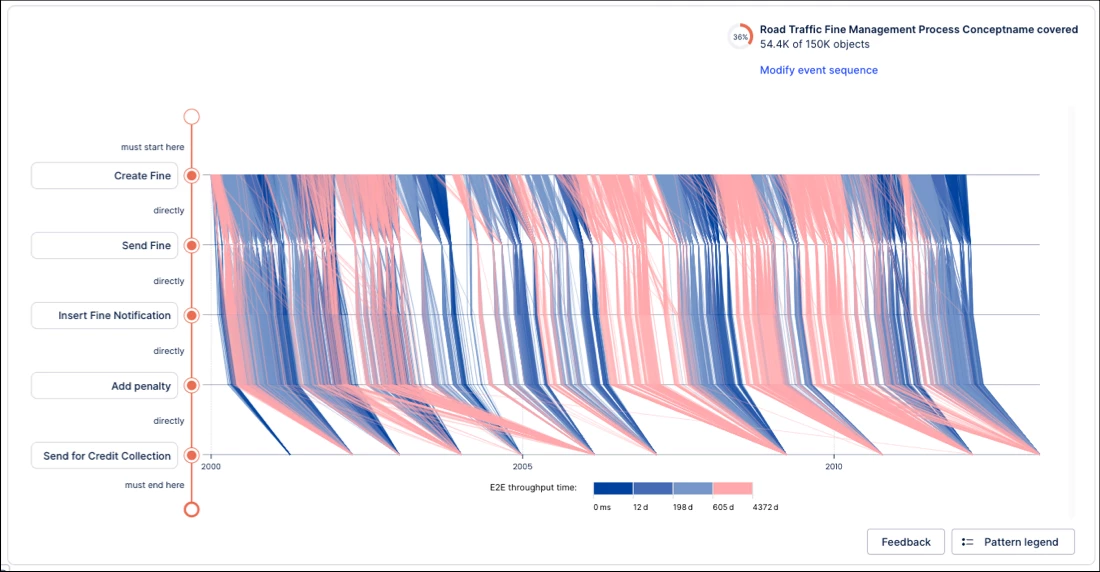
NEW Performance Spectrum component added to Views
You can now add and configure the Performance Spectrum component in Studio Views.
Performance Spectrum adds a time-based perspective to your Views, revealing how tasks interact and evolve over time. It makes it easier to spot variations, bottlenecks, and performance shifts that are often hidden in aggregated views.
NEW Object-centric Instance Explorer component added to Studio Views
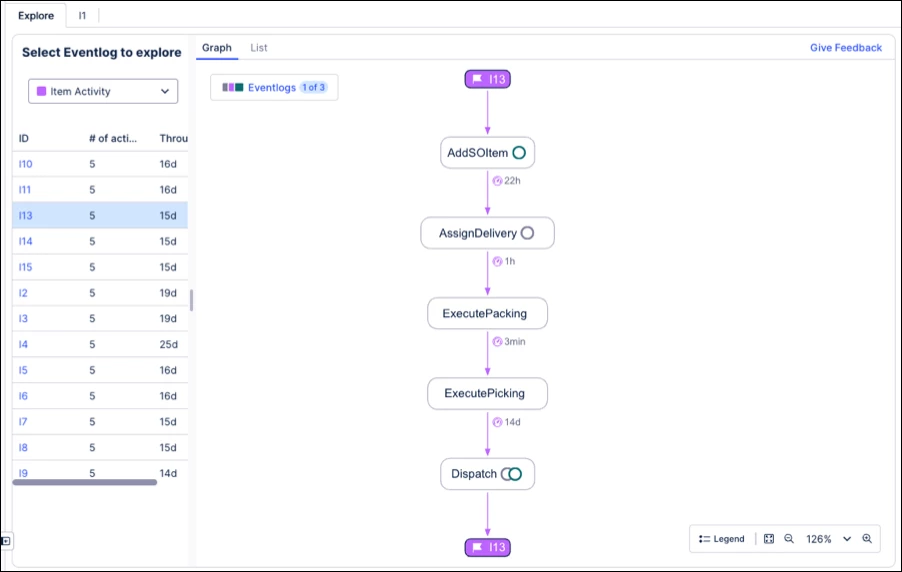
You can now add and configure the Instance Explorer component for object-centric data in Studio Views.
Instance Explorer lets you explore individual object instances (e.g., Orders, Invoices, Flights) and their events within the digital twin - without creating custom queries or tables. This makes it easier to analyze object lifecycles, understand relationships, and investigate process behavior in detail.
The component supports both graph and list views for flexible analysis.
IMPROVED 'Copy to' alignment for packages and assets
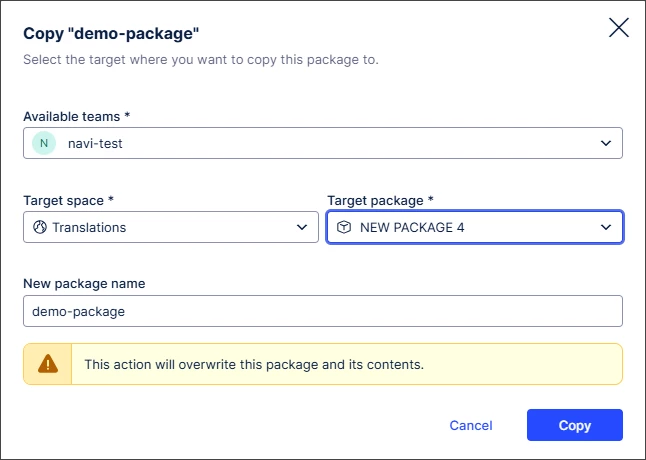
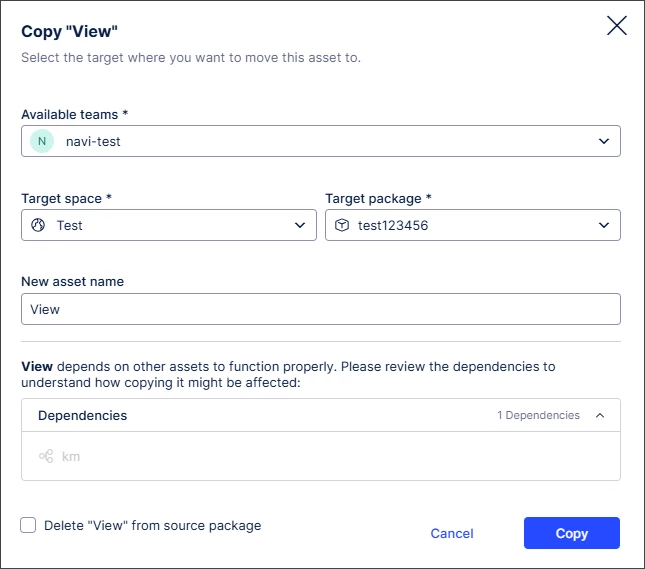
We’ve redesigned the “Copy to” modal for packages to align with the experience for assets, creating a more consistent and intuitive experience.
We’ve also introduced “lazy loading”, so checks for unversioned changes are only performed after selecting a package. This reduces initial load times and improves overall performance.
IMPROVED Smart inputs extended to Knowledge Model metadata
You can now use Smart Inputs in View modules to retrieve Knowledge Model metadata.
With this additional functionality, you can now write the metadata for any KPI attribute to the View module variable mapping. This lets you use KPI information directly from the Knowledge Model instead of hard coding inputs.
TASK MINING
NEW Task Mining Client software version 2.21.1
We've released a new version of the Task Mining Client software. This version includes enhanced internal message handling. We've also removed legacy, unused decryption paths related to protected Windows data. There are no changes to your sign-in process or how your data is protected.
PROCESS ADHERENCE MANAGER (PAM)
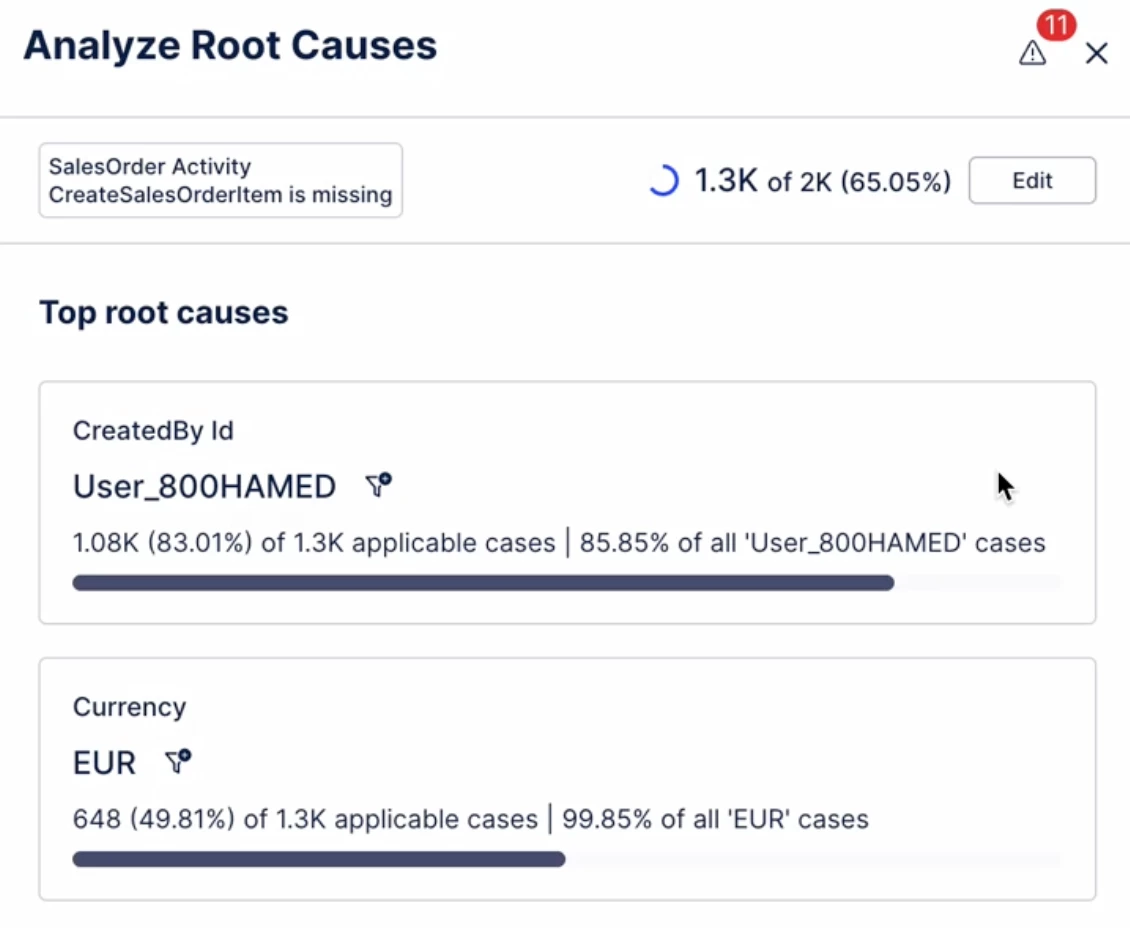
IMPROVED Filtering root causes in Adherence Explorer
We've added the ability to filter root causes in Adherence Explorer. This allows users to see the impact of a particular deviation root cause to KPIs.
PROCESS QUERY LANGUAGE (PQL)
NEW PQL “WITH” clause for organized and reusable query logic
We’ve introduced support for the WITH clause in PQL, allowing you to define temporary table aliases and named expressions directly within your queries.
The WITH clause helps you structure complex logic into reusable, readable blocks, improving the maintainability of advanced PQL queries. With support for both REGISTER (for aliases and variables) and EXTEND (for temporary computed columns), you can build more flexible and expressive queries.
For example:

Definitions created with the WITH clause are scoped locally to each expression, avoiding conflicts and allowing the same names to be reused in separate expressions.
NEW PQL aggregation functions for distinct string concatenation
We’ve introduced STRING_AGG DISTINCT and PU_STRING_AGG_DISTINCT, two new PQL functions to summarize unique string values into a single list.
These functions allow you to summarize multiple string entries into a single list of unique values, supporting both standard and pull-up aggregations for more flexible analysis.
