




These updates advance how you drive impact with Celonis - combining stronger value tracking, more powerful AI capabilities, and greater control over automation at scale. From KPI Snapshots and Transformation Hub to structured AI outputs, orchestration with AI agents, and granular consumption limits, you can now build more intelligent, integrated, and governed workflows across your organization.
See release summaries below. For full details, review release notes in Celonis Product Documentation.
All releases in this updateare in General Availability. To take part in early previews, check this list of opportunities here.
Planned Releases - COMING SOON
- STUDIO VIEWS Two-way binding added for enhanced variables in Views - April 8, 2026
- PROCESS ADHERENCE MANAGER Adherence Explorer - April 8, 2026
- DATA INTEGRATION Java requirement for on-prem JDBC - April 2026
BUSINESS APPS
NEW Transformation Hub in Views app
We’ve launched Transformation Hub in Views that provides a centralized app to track and report value realized from ongoing Celonis initiatives. You can now track Action-based, Rate-based, and Non-Monetary opportunities, monitor value over time, and analyze results across dimensions (e.g., country, region, plant, material) all in one place. NOTE: To use Transformation Hub in Views, ensure the KPI Snapshots feature is enabled.
STUDIO VIEWS
NEW Create and track KPI Snapshots from your Knowledge Model
You can now create and track KPI Snapshots directly from your Knowledge Model, capturing KPI values at scheduled intervals as historical records. KPI Snapshots preserve the true state of performance at a given point in time - independent of later data changes - enabling accurate trend analysis, before-and-after comparisons, and reliable measurement of initiative impact.
Snapshots can be combined across data pools and models to provide a unified view, supporting consistent reporting of both historical and current performance in one place.
NEW Structured Output from Process Copilots
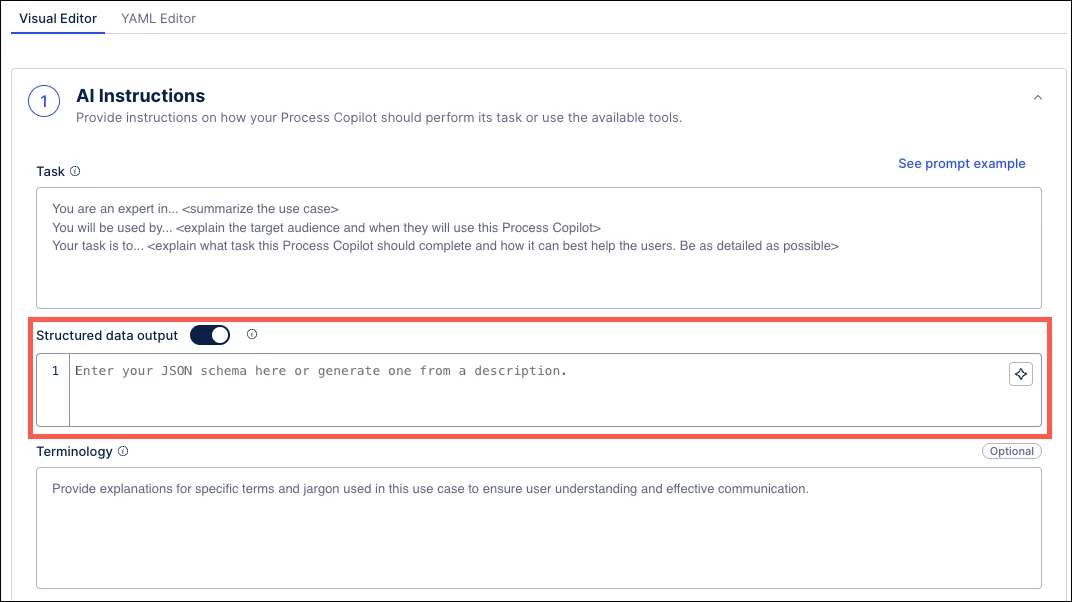
Process Copilots can now generate structured responses using customizable JSON schemas defined in the AI Instructions. Structured outputs provide predictable and system-ready responses, enabling seamless integration with Action Flows, Orchestration Engine, and external APIs - without manual parsing or error-prone text processing.
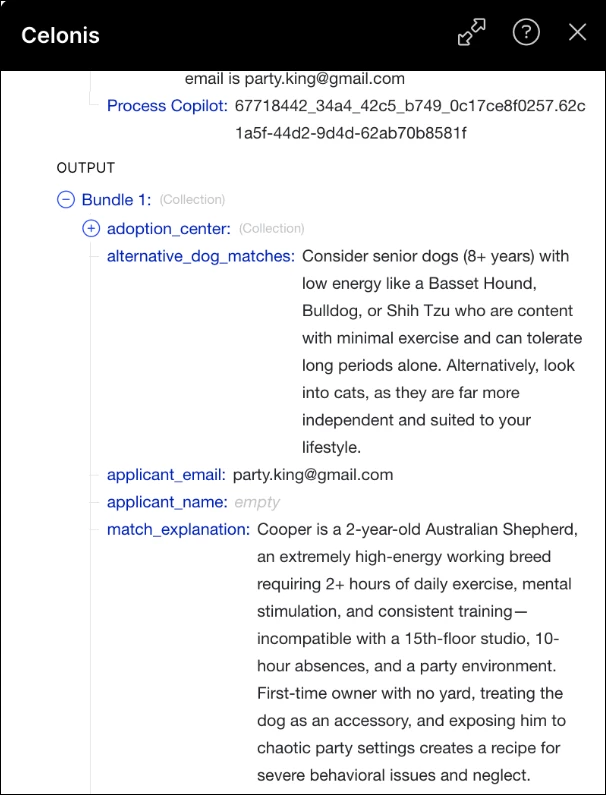
NOTE: Schemas can be configured or generated directly in the AI Instructions section and
are consistently applied across all Copilot interactions.
NEW Updated testing features for Process Copilots
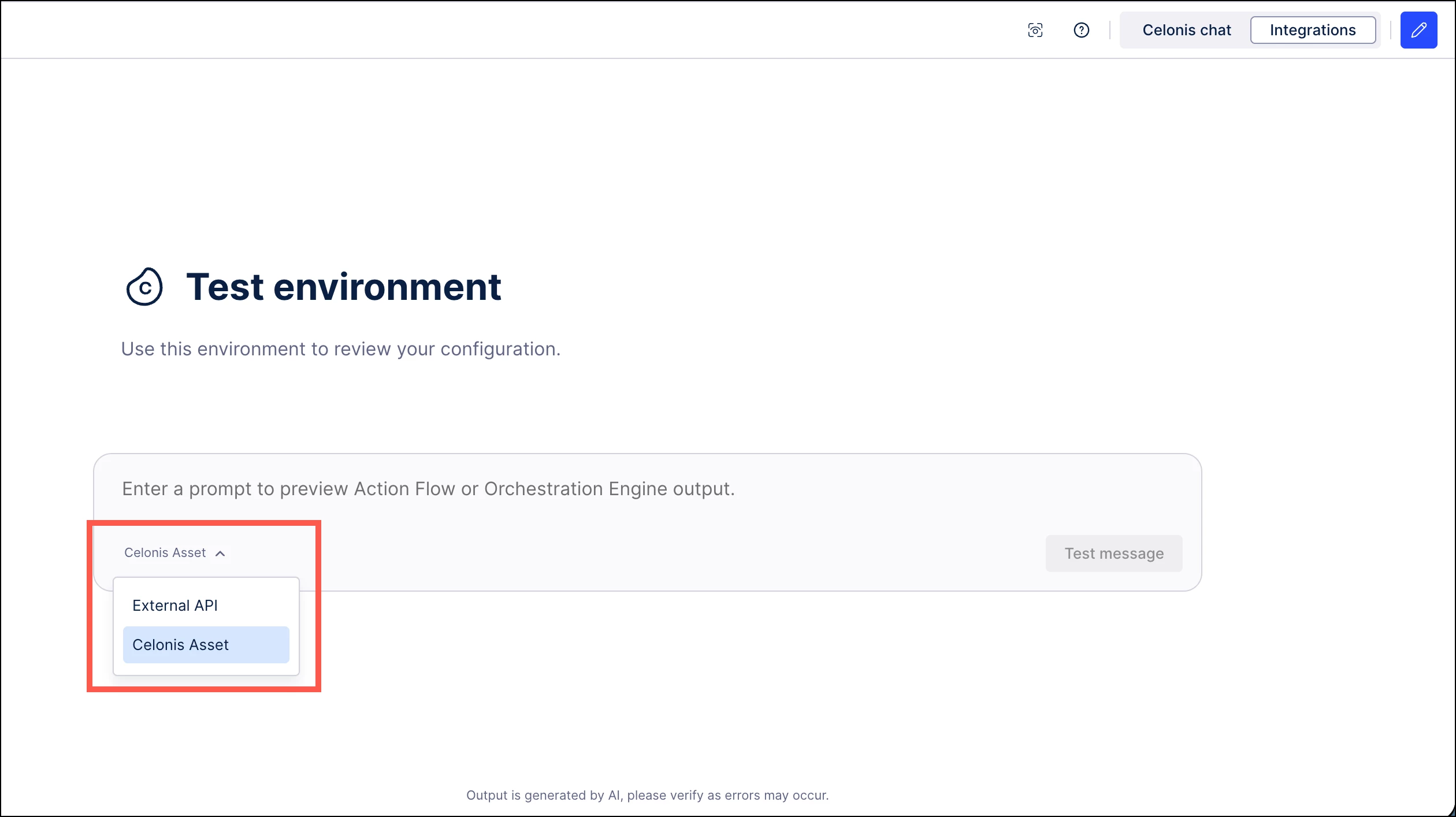
You can now switch between data sources (Celonis Assets and External APIs) when testing Process Copilots directly from the chat interface. This provides greater control when validating Copilot behavior, allowing you to simulate different execution scenarios and ensure accurate reasoning across internal and external integrations.
The new option enables more flexible testing during development by supporting both internal and external data sources within the same interface.
IMPROVED View edit mode performance improvements
Entering and exiting View edit mode no longer reloads the content in your View. This provides a smoother and faster editing experience, reducing interruptions and improving overall usability when working in Views. NOTE: This improvement is being rolled out gradually, so availability may vary over the coming weeks.
IMPROVED Event count metrics in the Multi-Object Process Explorer
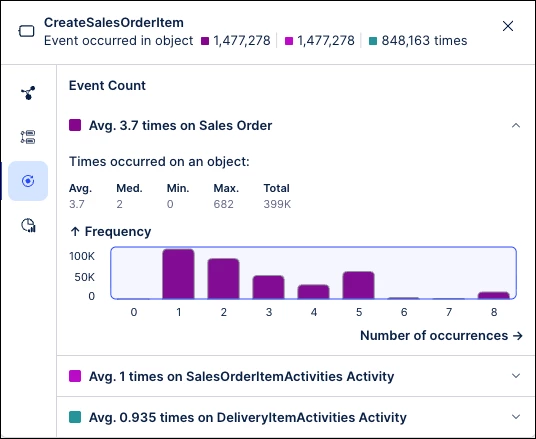
A new Event Count tab in the Multi-Object Process Explorer shows how often an event occurs per object, including average, maximum, and total occurrences. This provides deeper insight into event repetition and process behavior, helping identify inefficiencies, rework, and outliers across objects.
Along with this change, the average times per object metric is being removed from the Occurrence tab in the node details.
ADMIN
IMPROVED Granular AI consumption limits and tracking
The AI Settings console now provides enhanced visibility into AI output usage and allows you to set consumption limits at the individual asset level. This enables better control over AI usage, preventing single use cases from exhausting global credits and supporting more accurate budget planning and scaling of AI initiatives.
Admins can define hard limits for specific AI assets, and execution is automatically paused with a warning once limits are reached. The dashboard also reflects real-time global consumption against total available outputs.
AUTOMATION
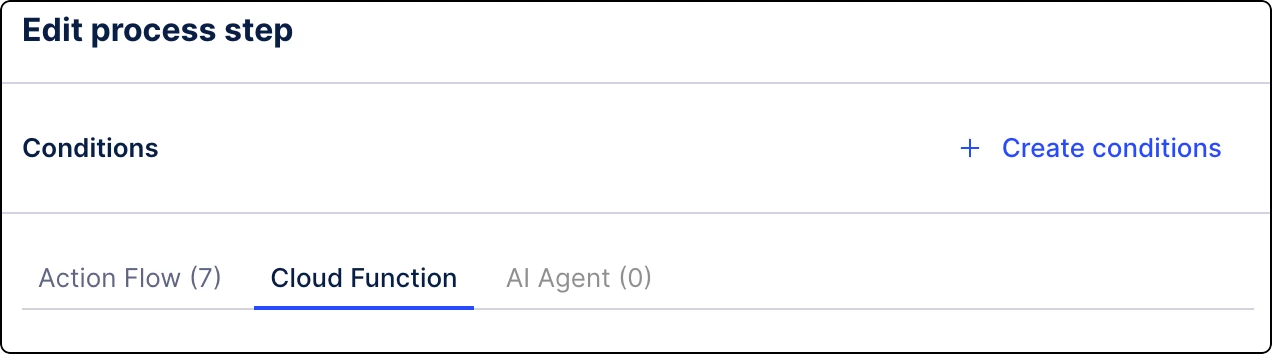
NEW Cloud functions in Orchestration Engine
You can now define and execute authenticated API calls to external services directly within your Process orchestration steps using Cloud functions. This enables seamless integration with external systems, allowing you to enrich workflows with external data and trigger actions beyond Celonis.
Cloud functions allow you to securely connect to external services and incorporate responses directly into your orchestration workflows.
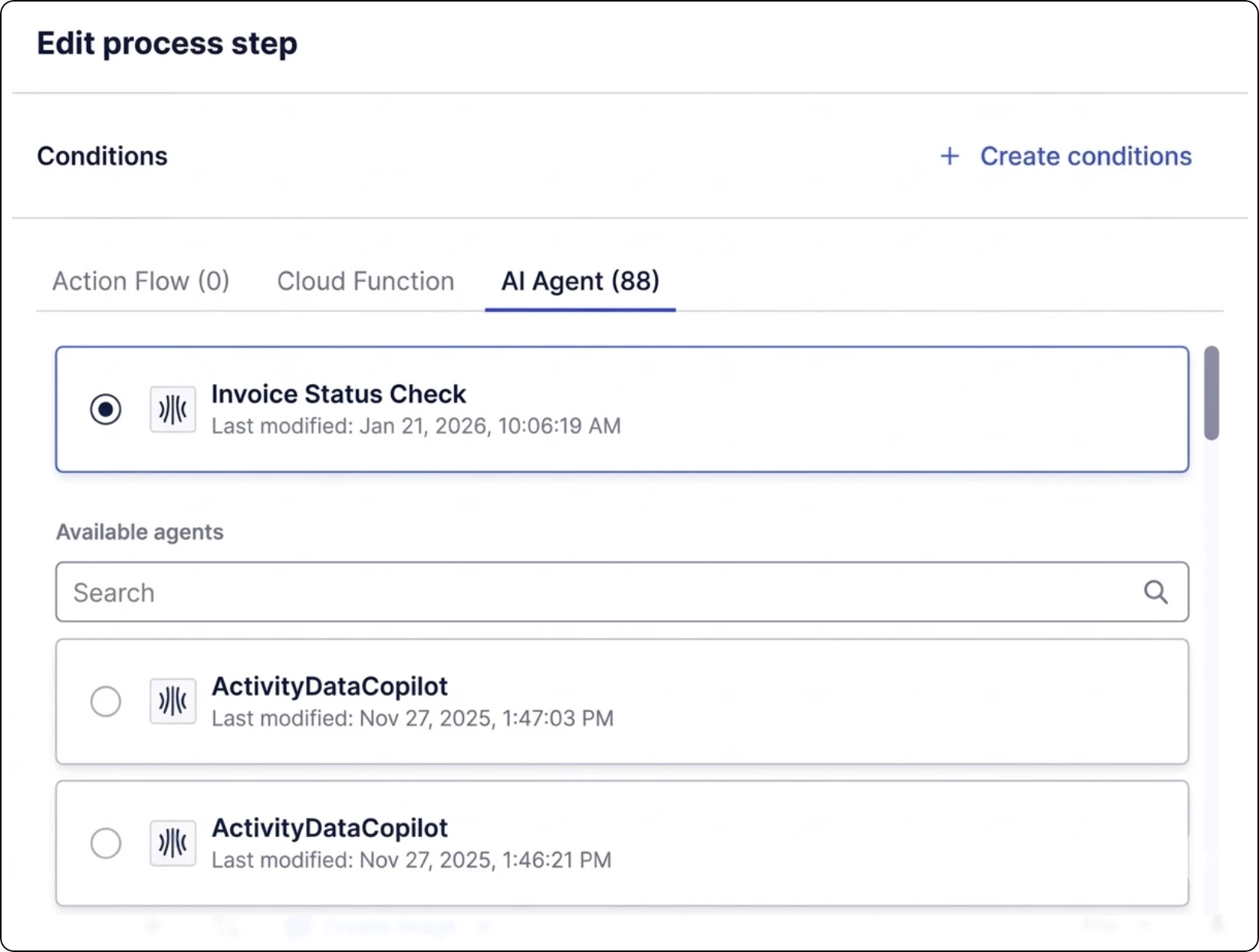
NEW Process Copilot in Orchestration Engine steps
You can now use Process Copilot capabilities directly in your Process Orchestration steps to analyze data and generate insights using natural language. This brings AI-powered reasoning into automated workflows, enabling more dynamic, context-aware decisions.
IMPROVED Updates to the Send emails action
You can now send emails using the Celonis service address (noreply@celonismail.com) in addition to your personal email. This enables more scalable and reliable email communication, especially for automated notifications. This is available directly within the Send Email action in Views.
DATA INTEGRATION
NEW Filtering methods added for Extractor Builder endpoints
You can now define filtering methods per endpoint in the Extractor Builder, allowing more flexible configuration of how data is queried from APIs. This provides greater control over data extraction, enabling more efficient queries and improved support for different API structures, such as using individual query parameters for standard requests or the request body for POST endpoints.
Existing endpoints retain a Legacy Filtering setting to ensure continuity. New endpoints default to no filtering; however, we recommend configuring an explicit filtering method for each endpoint to support efficient delta loads.
PROCESS ADHERENCE MANAGER
IMPROVED BPMN automatic repair
Process Adherence Manager now automatically detects and repairs common BPMN modeling issues during import, such as multiple start or end events and invalid connections. This reduces manual effort and ensures models are valid and ready to use, speeding up setup and improving reliability.
The repair is applied automatically when importing BPMN models into Process Adherence Manager.