




Celonis:NOW, our new bi-annual product recap series, gives you a fast and focused look into our latest platform innovations over the past six months — and how they help make processes and Enterprise AI work. Watch the recap
This edition also focuses on smarter data handling and seamless AI integration. We’ve introduced powerful tools like Agent Tools (MCP) for secure AI data access and native Process Copilot modules in Action Flows to simplify intelligent automation. From UI refinements in Process Cockpit to flexible chart dimensions in Studio, these enhancements help your teams drive better outcomes.
OBJECTS AND EVENTS
NEW Define composite primary keys on object-centric data model attributes
Data Engineers can now select multiple attributes to form composite primary keys directly in the data model. This removes the need for messy SQL concatenation and boosts query performance across the platform. It’s a more sophisticated way to handle unique IDs from complex source systems like SAP.
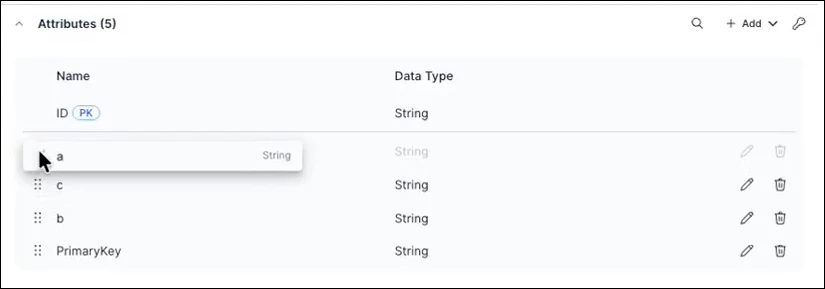
IMPROVED Attribute sorting added to objects and events
You can now manually order attributes in your objects and events to improve governance and readability. Once deployed, this order reflects in transformation jobs and the Knowledge Model, making life easier for anyone navigating the data. It’s a small change that brings big consistency to your models.
IMPROVED Creating events from tables
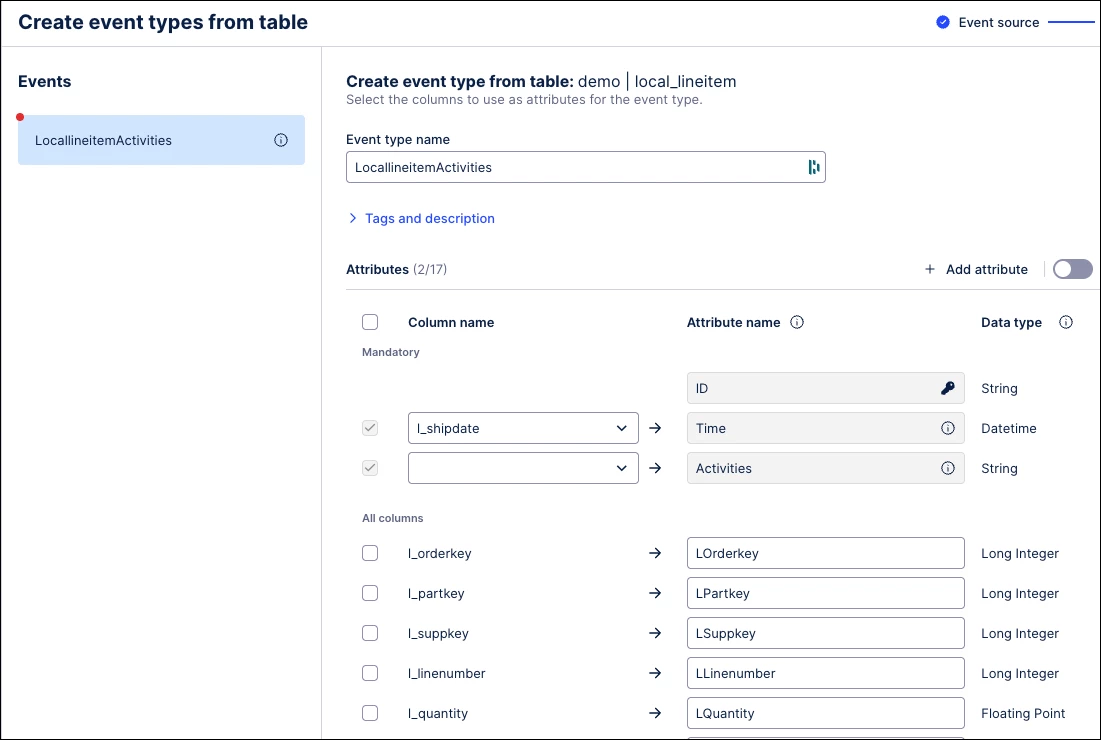
Data Engineers and Analysts can now create event types directly from raw source data using a streamlined import wizard. This replaces manual SQL mapping with automatic transformations for event logs and change tables, enabling faster bulk event creation.
STUDIO VIEWS
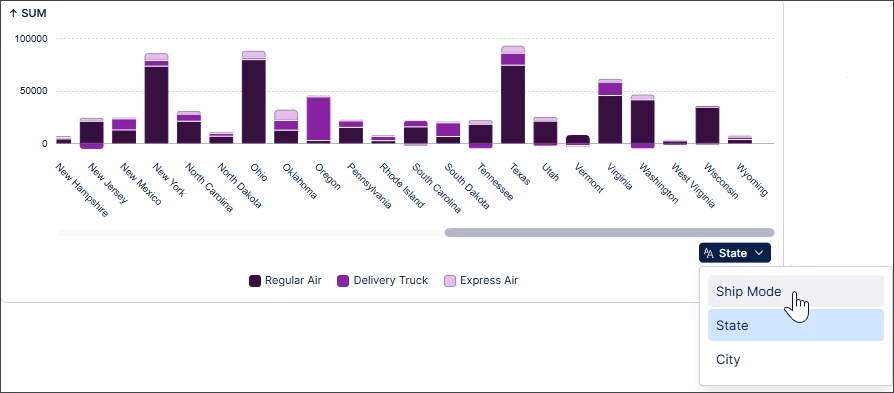
NEW Dimension switching in charts
We’ve added a dropdown to bar, line, and area charts so users can dynamically change data perspectives, like switching from weekly to monthly views. This replaces static charts with flexible self-service analysis. It allows you to explore different insights, such as Ship Mode or City, instantly.
NEW Agent Tools (MCP) now in General Availability
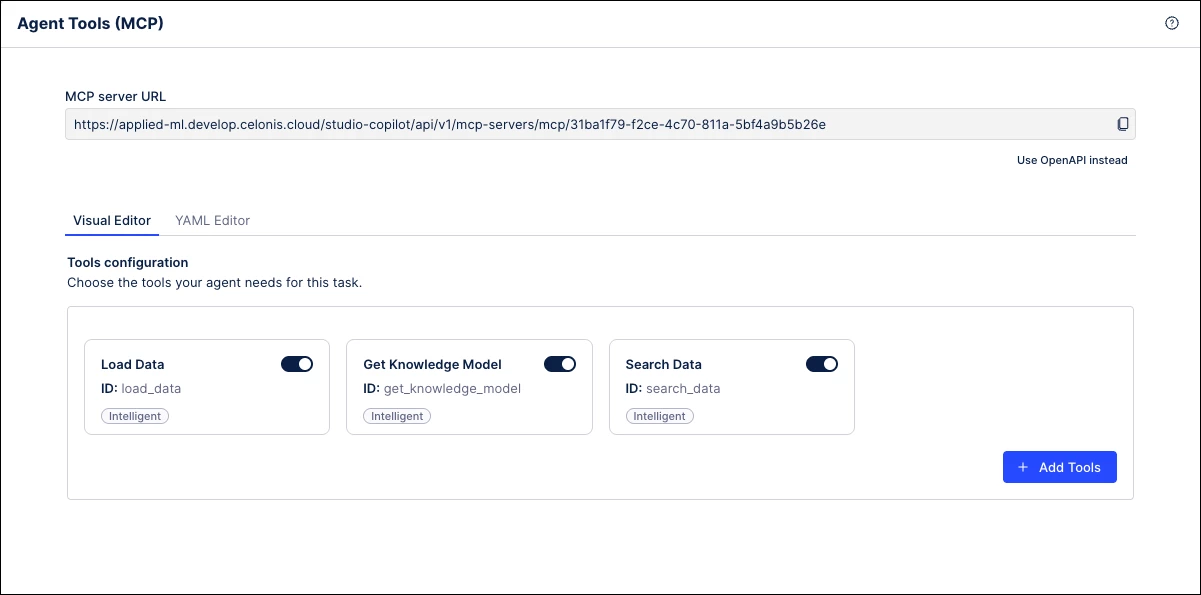
The Agent Tools, Model Context Protocol (MCP), feature is a new Studio Asset that enables AI agents to securely access and interact with Celonis data and insights using the MCP. It replaces manual workarounds, enabling secure, real-time info retrieval and external action triggering. Once the new asset is published, it will generate a unique URL that serves as an endpoint that can be connected to by other MCP clients.
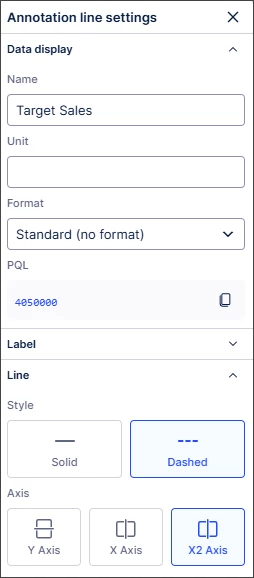
NEW Switching annotation lines between primary and secondary chart axes
Users can now toggle chart annotation lines between primary and secondary axes via the settings panel. This ensures targets and thresholds align perfectly with the correct scale in complex visualizations. It’s a simple UI change that makes tracking performance against multi-axis data effortless and accurate.
IMPROVED Reusing View modules across packages
We’ve enabled View module reuse across different Studio packages, replacing the previous restriction where modules were siloed within a single package. This allows Data Engineers and App Creators to maintain consistency and save time by pulling existing modules into new projects. You can update these modules as changes are published, ensuring all apps stay current without manual rework.
AUTOMATION
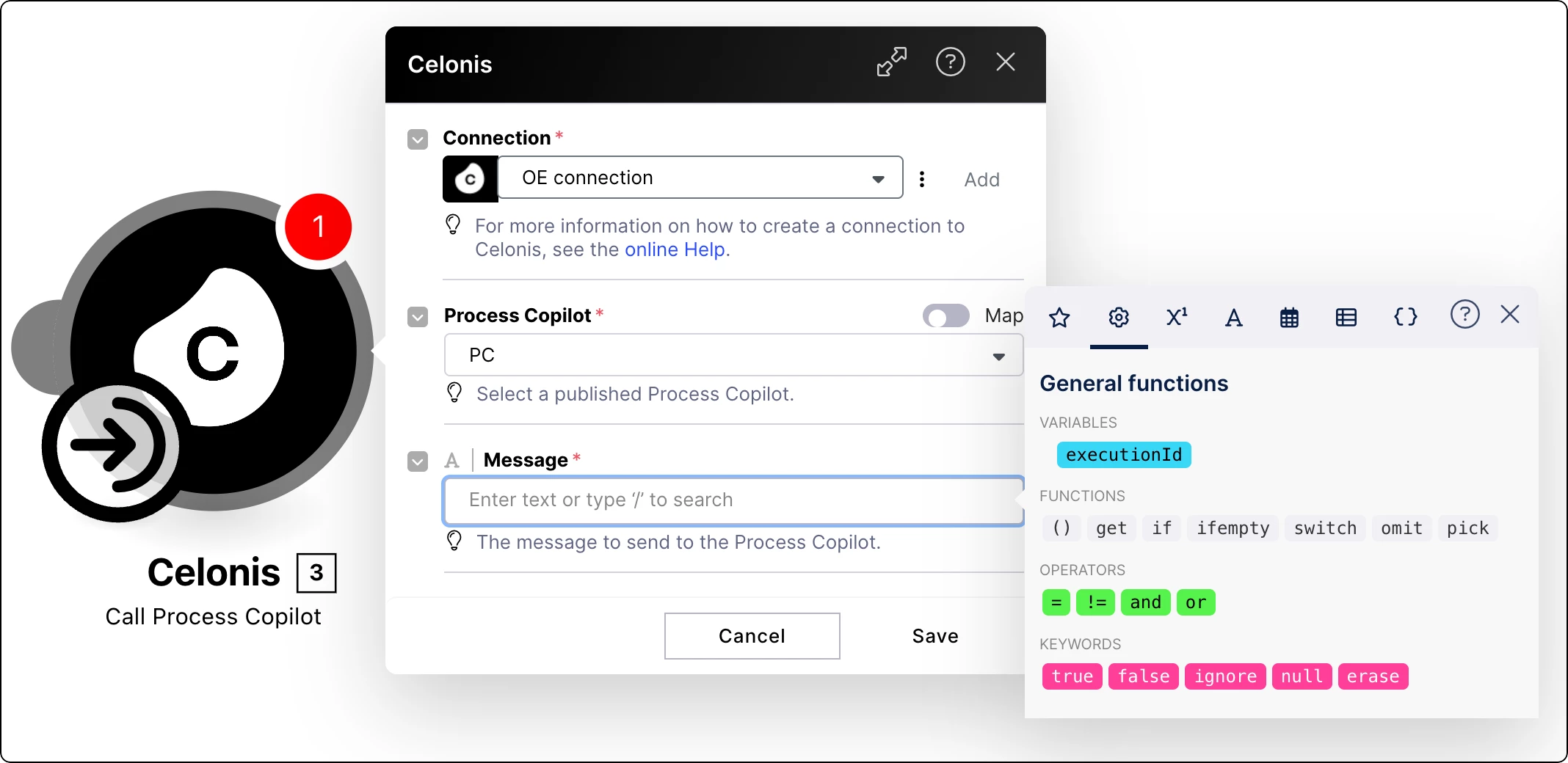
NEW Call Process Copilots from your Action Flow modules
We’ve added a native module to Action Flows so you can trigger Process Copilots without custom code. This new “Call Process Copilot” module allows Automation Engineers to pass real-time messages and variables directly to AI assets, showing reasoning and conversation IDs instantly. It’s a faster way to build intelligent, conversational workflows.
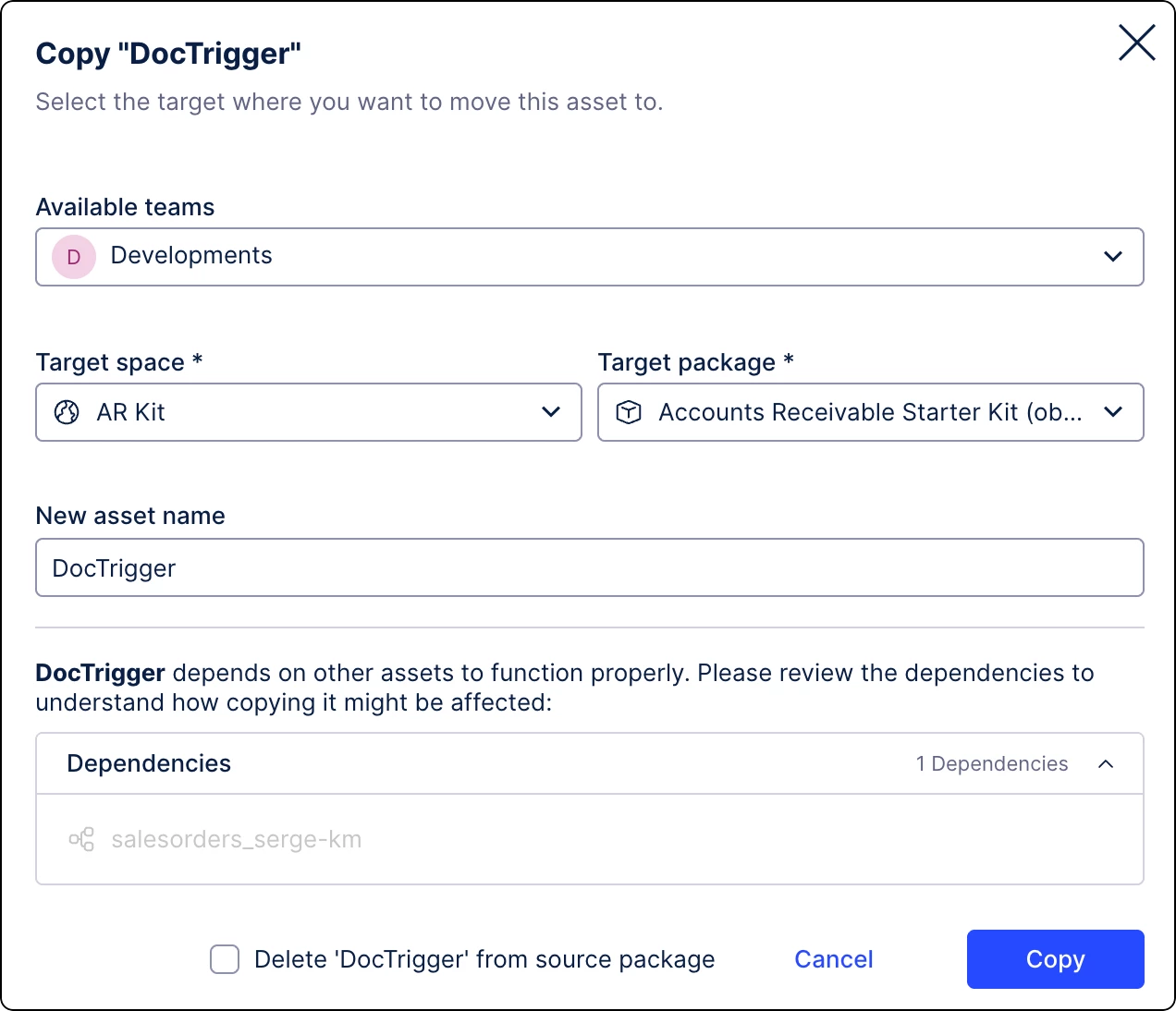
IMPROVED Updates to Task Types
We’ve added the ability to copy Task Types across teams and spaces to simplify cross-platform management. A new status column also flags critical errors and operational warnings, giving you a clear, real-time view of your task health.
PROCESS NAVIGATOR
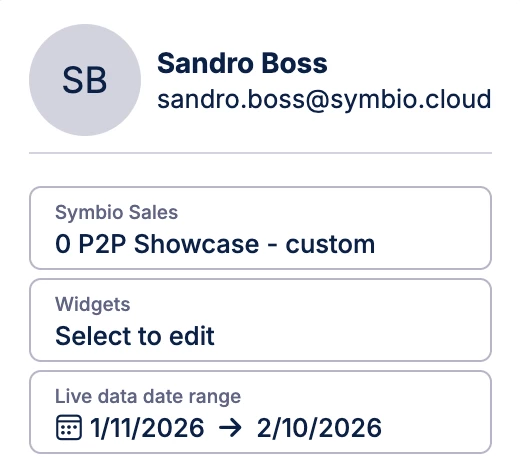
IMPROVED Process Cockpit updates
We've refined the Process Cockpit to be more intuitive and user-friendly with UI changes and performance enhancements. The date range has been moved to the user menu and we’ve also added Live Data Cards. The UI tweaks explain data differences clearly and round values for better readability. It's all about making your process journey smoother and faster.
TASK MINING
NEW Task Mining Client software version 2.21.0
We’ve released version 2.21.0 of the Task Mining Client, featuring general performance stability for all users capturing desktop data. This update ensures your background data collection remains lean and reliable. Simply update your local client software to benefit from these latest backend infrastructure improvements.