




We’re making big strides this month to give you more control and better visibility across the Celonis Platform. Key highlights include a major security boost with new OAuth 2.0 flows, the debut of the Adherence Explorer for deeper process analysis, and AI upgrades that let your agents interact directly with the Orchestration Engine. We’ve also streamlined how you build and visualize data to keep your workflows moving fast.
Celonis:NEXT
You want to industrialize AI. We’ve been building to make it happen. Join Celonis:NEXT on May 19 to see what’s new in Celonis, from enhancements across all platform layers to powerful new AI capabilities. Register now
All releases in this update are in General Availability. To take part in early previews, check this list of opportunities here.
Planned Releases - COMING SOON
- STUDIO Consistent event log colors across all Process Mining components - May 2026
- ADMIN AND SETTINGS Strengthening API security with OAuth 2.0 - Jun 30, 2026
ADMIN AND SETTINGS
NEW Authorization Code Flow as new OAuth 2.0 grant type
We're adding Authorization Code as a new OAuth 2.0 grant type you can select when registering new OAuth 2.0 clients in Celonis Platform. Authorization Code is a secure, server-side process for applications to obtain access tokens to authorized user data without exposing credentials.
DATA INTEGRATION
NEW Java requirement for on-prem JDBC
To use the latest On-Premise Client (OPC) or On-Premise Extractors (OPE) JDBC release (v4.26.1+), your host servers must run Java 25.
Review your current Java environment and plan extractor upgrades accordingly.
OBJECTS AND EVENTS
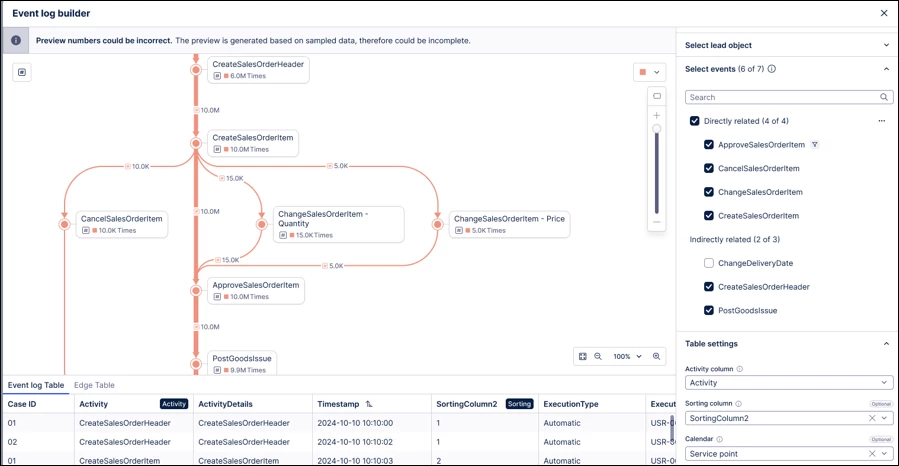
IMPROVED Process Explorer preview added to Event Log builder
We've added a Process Explorer preview to the Event Log builder. This allows you to visualize your process model in real-time during configuration, ensuring accuracy between the data model and the intended process flow. The preview includes auto-refresh capabilities and supports the visualization of dynamic events.
STUDIO
NEW Control analyst access to Annotation Builder, Insight Explorer, and Process Copilot assets
With this release, admin users can now control which analysts can access, view, and edit Annotation Builder, Insight Explorer, and Process Copilot assets. This change creates an additional level of protection against unintended or negative consequences related to their use. For more information, see the documentation for Annotation Builder, Insight Explorer, and Control analyst access to Process Copilot assets.
Note: This functionality is only available upon request. To enable it in your environment, contact us at Celonis Support.
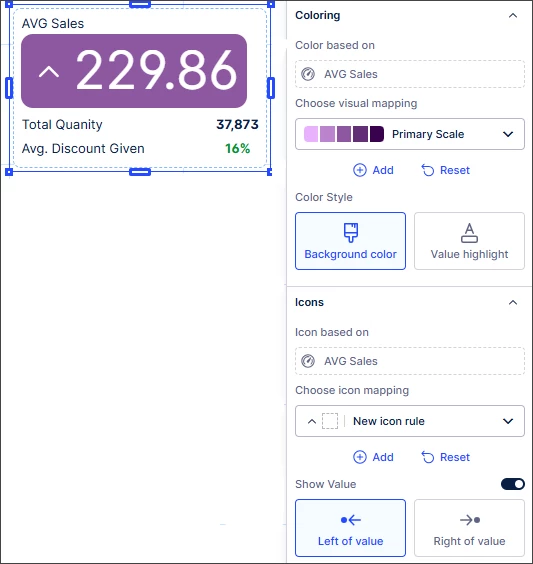
NEW Visual mapping rules added for KPI card and Attribute list
We've extended visual mapping rules for colors and icons to the KPI card and Attribute list components in Views. Extending this functionality to these components gives added flexibility around their use while providing a more consistent visual experience across Views.
NEW MCP tools to interact with Orchestration Engine processes
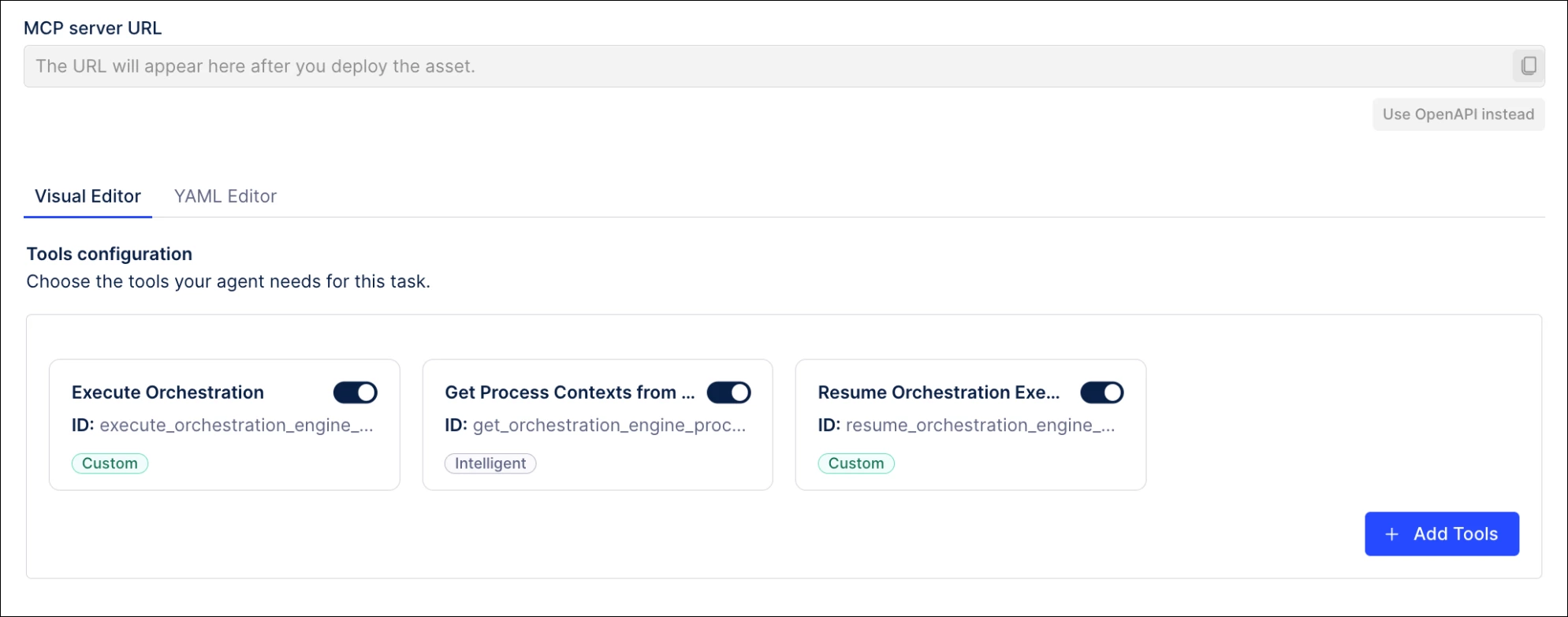
The Agent Tools (MCP) asset is enhanced with new tools that allow AI agents to interact with a process running in the Orchestration Engine. These new tools are available in Studio and can be configured as part of your Process Copilots.
Using the Tool Activation feature, tools can be either manually selected by users or defined by the Agents at runtime.
IMPROVED Two-way binding added for enhanced variables in Views
We've changed how enhanced variables in View input dropdowns update to better reflect expected user behavior. With this release, an input dropdown using enhanced variables now always displays the current variable value, instead of the last selected option. This ensures consistency across the app and prevents mismatches between the value shown in the dropdown and the actual enhanced variable value.
If the current enhanced variable value is not available as an option in the input dropdown, an information message will indicate that the enhanced variable value has been inherited from elsewhere.
PROCESS ADHERENCE MANAGER
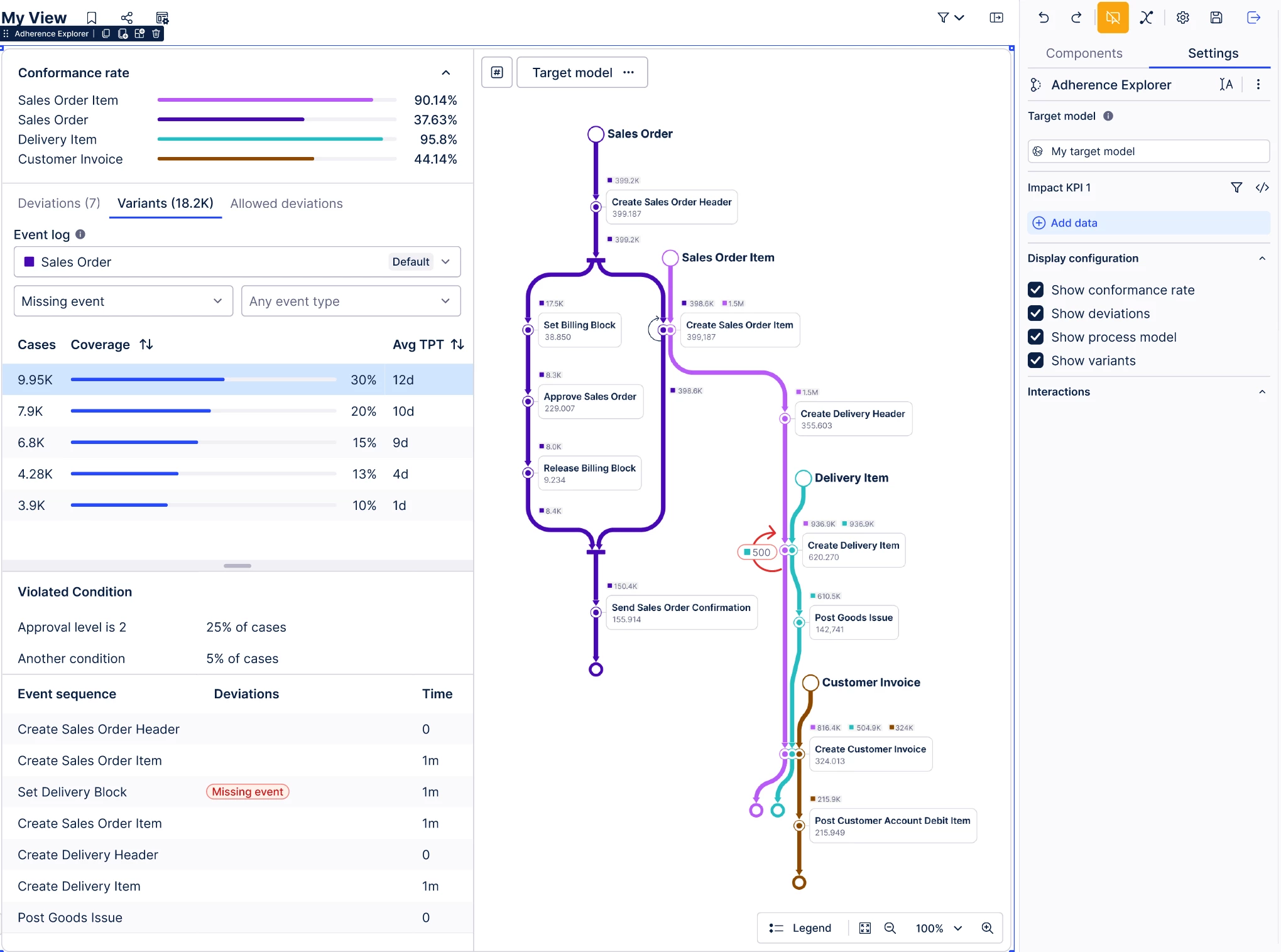
NEW Adherence Explorer
The Adherence Explorer is the new analysis experience for Process Adherence Manager. It's a Studio View component that enables users to analyze deviations in the context of a broader analysis (such as building a dashboard with the conformance rate of a model). It seamlessly interacts with other View components, including charts, tables and Process Explorer.
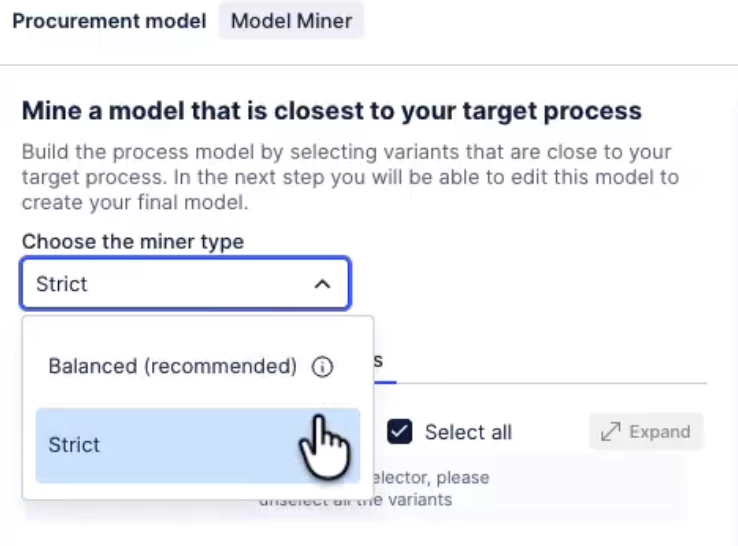
NEW Mining algorithm
Users can now choose between the strict or balanced model miner when mining a model. Both options analyze the process graph derived from an event log and try to match the patterns of events within the process graph. They use different approaches where patterns of events can’t be matched. The strict miner considers every variant in a model, while the balanced miner optimizes for fitness, making it better suited for processes with many variants.
Release notes | Product updates | Technical Bulletin | Status updates