


We’ve rolled out several updates across the platform with a focus on streamlining how you interact with your data and each other. From a modernized SQL editor that handles multiple transformations at once, and unified Inbox for all your tasks to AI-powered opportunity detection in Insight Explorer. These updates are designed to make the platform feel more intuitive and powerful. We’ve also unified task management and improved how complex process diagrams are visualized to keep your workflows moving fast.
All changes listed below are in General Availability. To take part in early previews, check out the list of opportunities here.
Planned Releases:
- ADMIN: Improved permissions management experience - February 4, 2026
Data Integration
IMPROVED Enhanced and refreshed SQL editor
You can now use a modernized SQL editor by default when building transformations. This updated interface supports multi-tab editing and better table browsing, aligning the experience with our Objects and Events tools. It replaces the older editor and builds on the existing feature set while providing a more consistent experience across the platform to transform data at scale.
In addition to searching existing statements, browsing tables from your data sources, and creating parameters, you can now open and work with multiple transformations at the same time.
OCDM
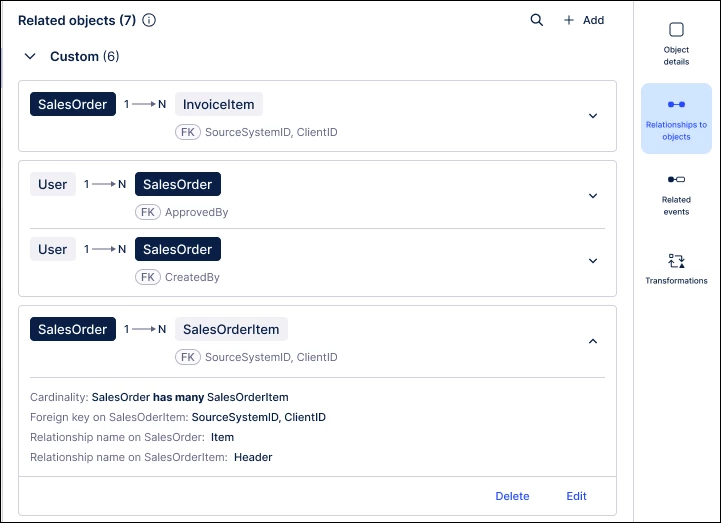
IMPROVED Updated Related Objects interface for one-to-one relationships
We’ve unified the Relationships tab, replacing split tabs with one clear list to simplify object management. By standardizing where objects sit on the card—like placing 1-sided objects on the left—we’ve made complex schemas easy to read at a glance.
Studio Views
IMPROVED Visual enhancements for View components
We’ve refreshed View components to give users more dashboard space and a cleaner UI. By standardizing headers and adding overflow controls for textboxes, we’ve removed extra space and improved clarity. These updates replace older, fixed layouts, allowing for denser, more professional views.

NEW KPI visualization component in Views
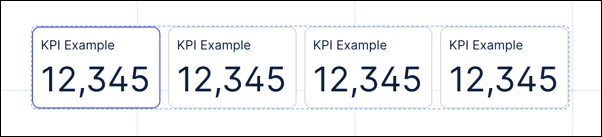
The new KPI meter component replaces older radial and gauge assets with a sleek bullet chart design. Business users get a clear, color-coded look at how their metrics compare to specific thresholds, making order or performance data easy to scan. It’s a high-impact way to visualize success and drive faster decision-making across your dashboards.
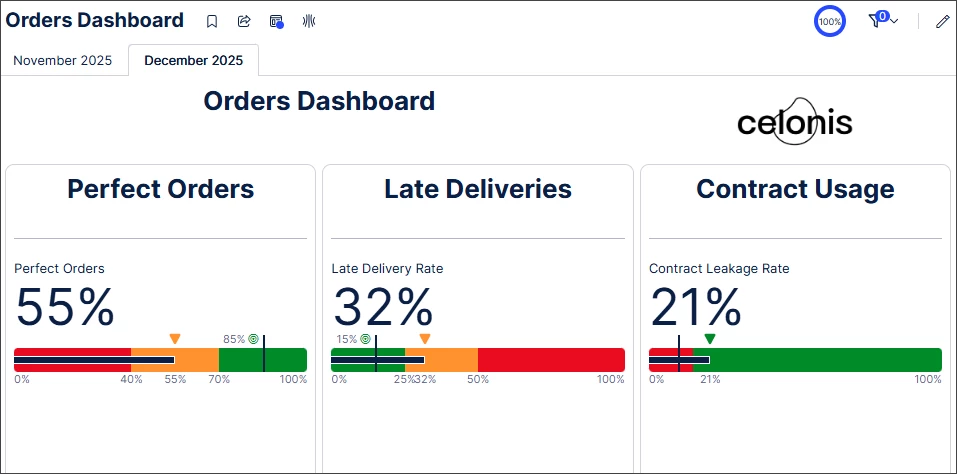
IMPROVED Group package assets
Studio users can now organize package assets by type or custom functionality, making complex projects much easier to navigate. This structure helps teams find what they need quickly and keep their workspaces tidy as they scale. It’s a simple organizational win that keeps your development process focused and efficient.
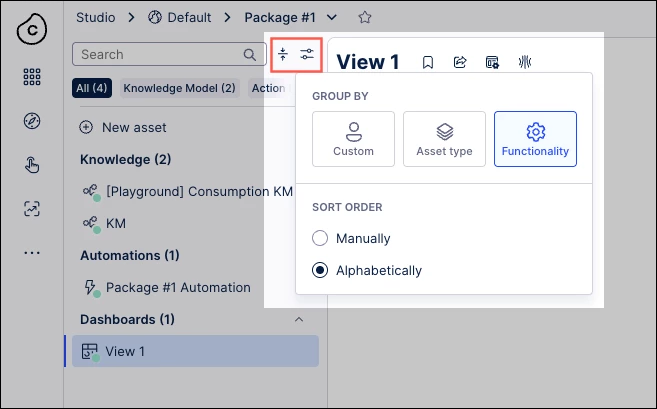
IMPROVED Exporting linked Views as PDF
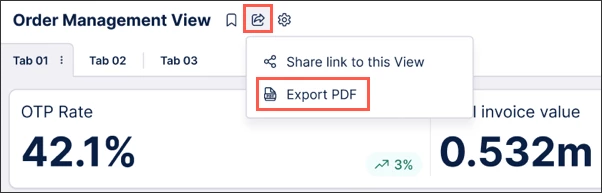
We’ve expanded PDF exports to include linked Views, allowing you to create comprehensive offline reports directly from your published apps. Users can now adjust scales, add page numbers, and select multiple tabs for a professional, shareable document. This bridges the gap between digital insights and the offline materials needed for meetings or reviews.
IMPROVED Fetch current user information with smart inputs
A new smart input command allows you to automatically pull the current user’s name, email, and role into your Views. This makes applications feel more personalized and helps automate user-specific logic without manual data entry. It’s a small touch that makes the platform feel smarter and more tailored to the person using it.
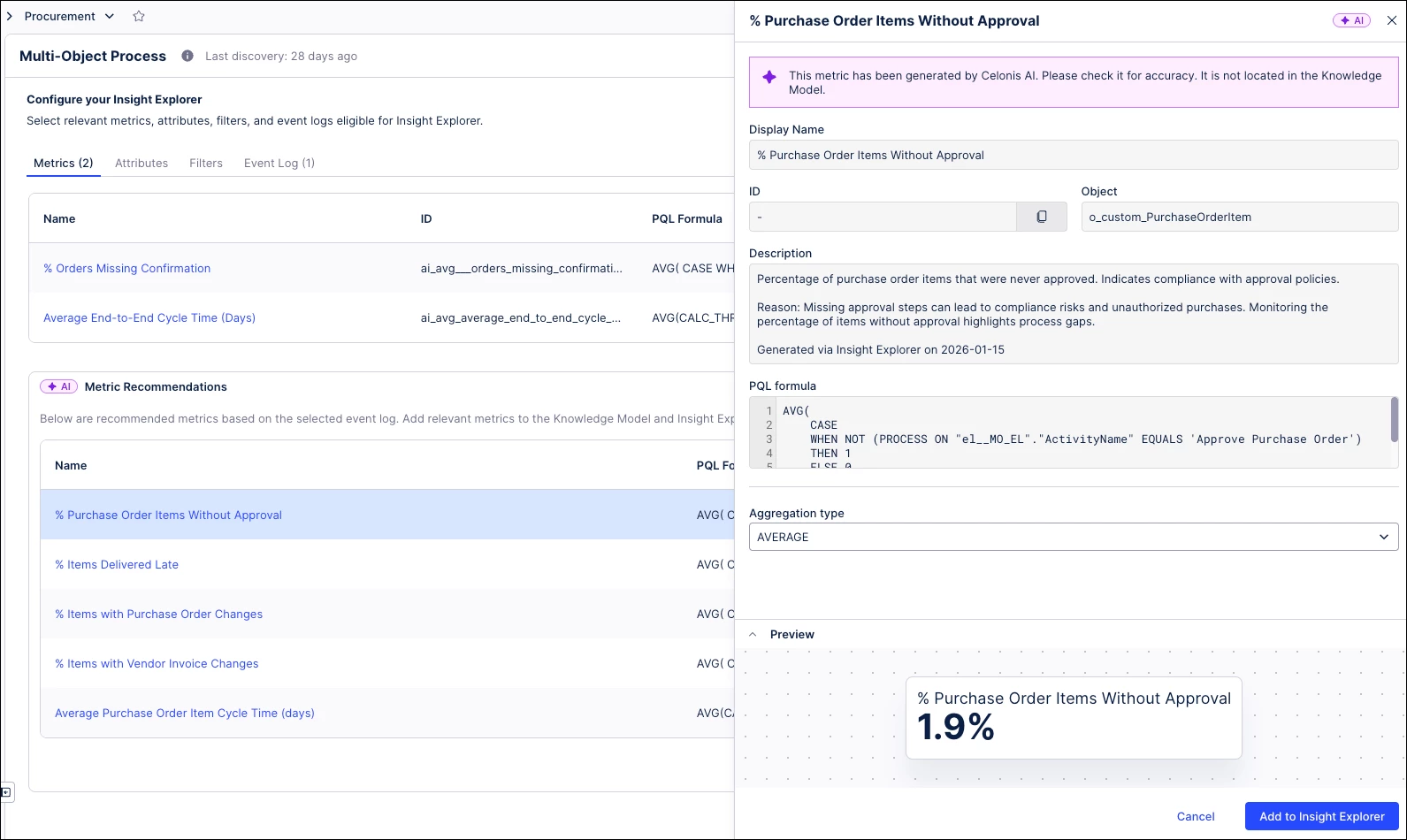
IMPROVED New AI-generated inefficiency metrics in Insight Explorer
Insight Explorer now uses AI to suggest specific process inefficiency metrics based on your event logs. Analysts can instantly add these Metric Recommendations to their Knowledge Models to uncover hidden bottlenecks they might have otherwise missed. This update moves beyond manual analysis, using AI to fast-track your path to process improvement.
IMPROVED Layout upgrades to the multi-object Process Explorer graph
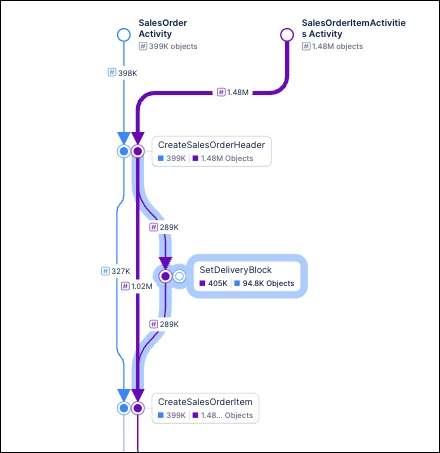
We’ve refined the Multi-Object Process Explorer (MOPE) with larger arrowheads, improved connection routing, and smarter zoom behavior. These changes help Process Analysts navigate complex "spaghetti" diagrams by highlighting new elements and maintaining focus during updates. The result is a more readable graph that makes intricate multi-object processes easier to understand.
IMPROVED Unifying Internal and External Process Copilots
We've simplified Process Copilot creation by removing the internal/external asset distinction during setup. You can now toggle external API access directly in the configuration screen to bridge your process logic with outside tools. This update replaces the fragmented creation flow, allowing you to trigger both internal and external calls from a single chat interface.

IMPROVED Usability enhancements for asset-to-asset dependencies
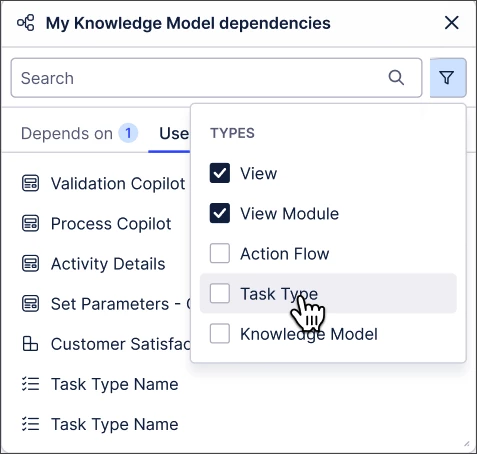
We've made a couple of small usability enhancements to asset-to-asset dependencies in Studio. You can now drag and drop the asset dependencies modal, giving you greater flexibility about how Studio is displayed. You can also filter dependencies by asset type.
Machine Learning
IMPROVED PyCelonis MLWB Read/Write Access to Augmented Attributes
Data Scientists and Analysts can now use PyCelonis to read and write directly to augmented attributes within the Machine Learning Workbench (MLWB). This removes the need for complex workarounds, allowing ML models to instantly update frontend Studio Views used by business stakeholders. You’ll need to update your PyCelonis package to the latest version to start driving operational apps with these live predictions.
Process Designer
LeanIX/CPM integration
We've released an integration that allows you to pull data from LeanIX and use it within Process Designer. You can access this integration via the Celonis Marketplace.
Business Apps
NEW Data Model Tasks included in Inbox
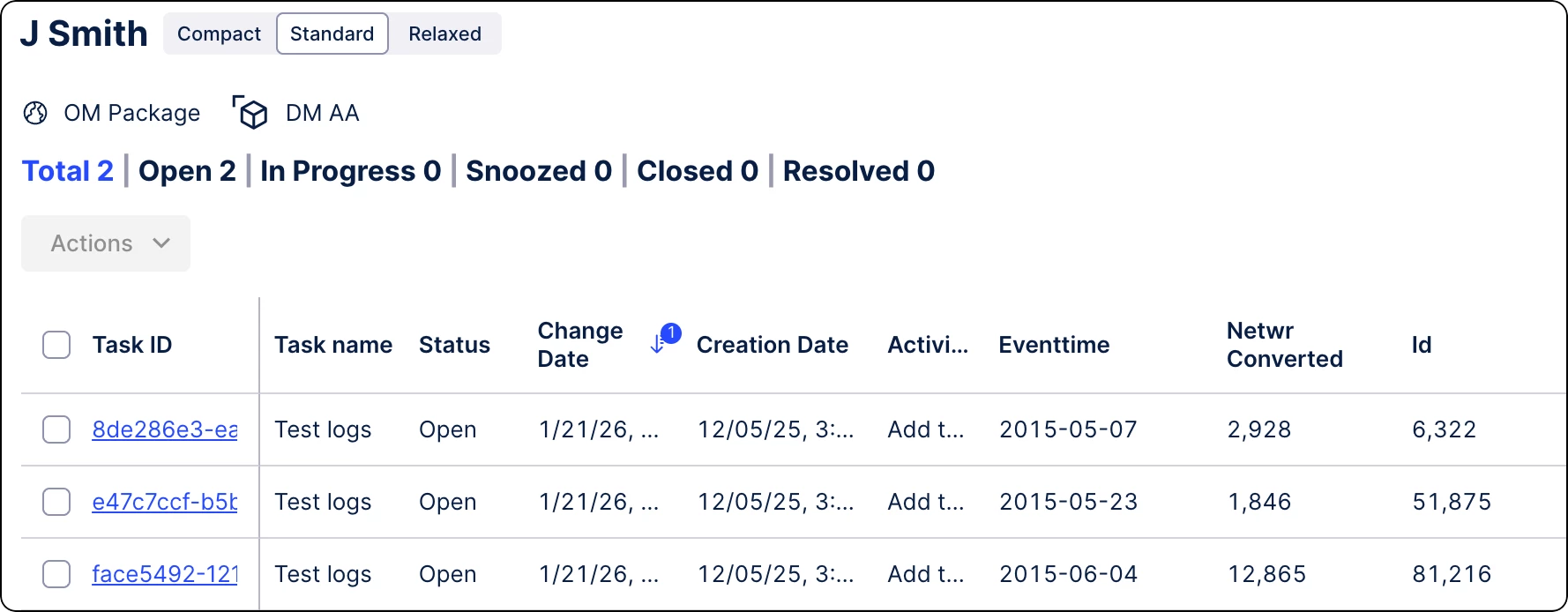
We’ve centralized your workflow by bringing identifier-based Data Model tasks into the standard Tasks Inbox. This update allows all users to manage both record-based and model-triggered tasks in one view, replacing the need to toggle between different screens. It simplifies task management across the platform, ensuring no critical action is missed.