




Explore the latest product updates across the Celonis Platform, including enhancements to Team-to-Team copy, Studio packages, the PQL editor, validation errors and automations. Also, note the new filtering features in Release Notes for ease of navigation.

There is still time to register for Celonis:NEXT on May 19th.
You want to industrialize AI. We’ve been building to make it happen. Join Celonis:NEXT on May 19 to see what’s new in Celonis, from enhancements across all platform layers to powerful new AI capabilities. Register now.
PLATFORM-Release notes
NEW Filtering added to Release Notes
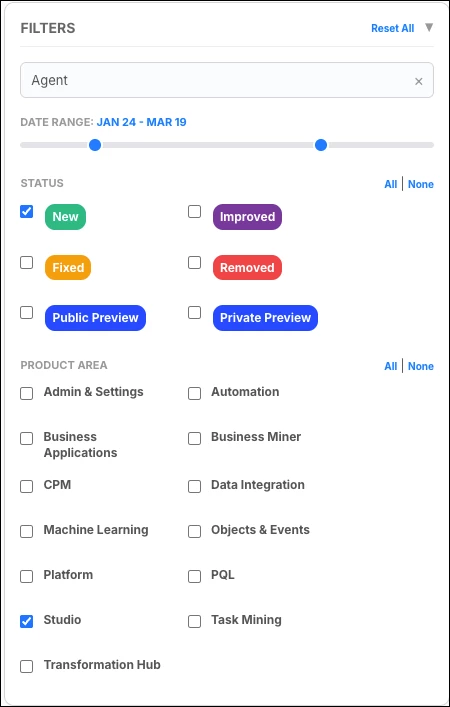
You can now filter and bookmark our release notes to quickly locate specific updates. The filtering panel gives you options to filter on: Text search, Date range, Release types, Product Area, and you can also use bookmarks to save a customized view or share with others.
You can clear individual filter categories using the All / None toggles, or clear all active filters at once using the Reset All button.
OBJECTS AND EVENTS
IMPROVED Objects and events assets added to Team-to-Team copy
Save time and ensure consistency across your organization by using the Team-to-Team copy feature to copy object-centric process mining (OCPM), data models (OCDM) and data pools between Celonis Platform teams. This improvement allows team admins to select the target team, check and resolve asset dependencies, and copy data pools to an existing or new target data pool.
Note: Copied data models are not automatically deployed in the target team and require manual deployment by an Admin.
STUDIO
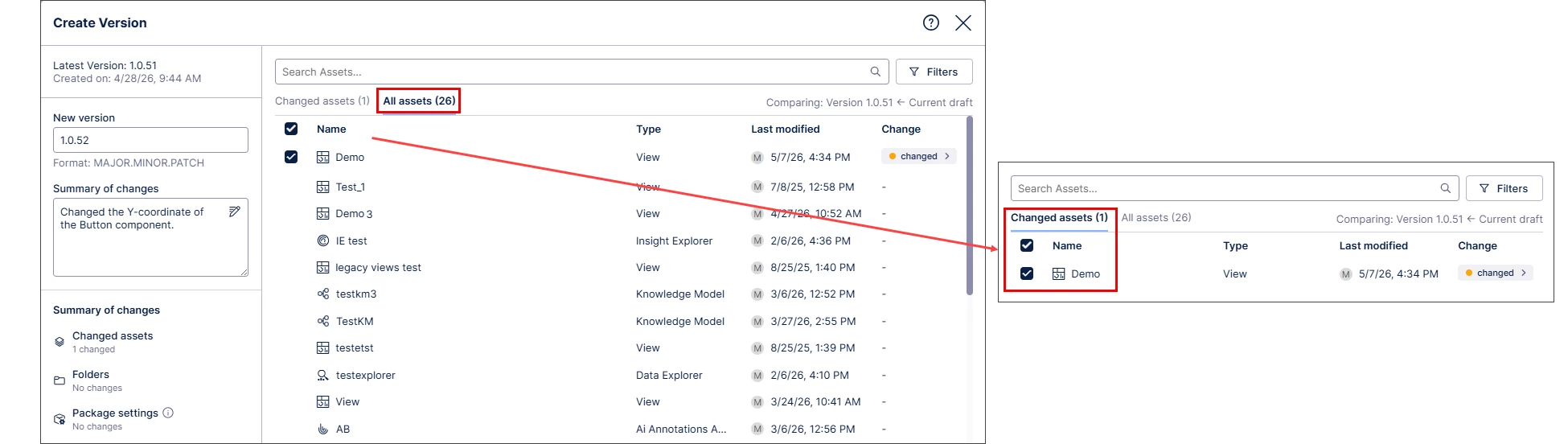
IMPROVED Increased transparency for Studio package versioning changes
When you create a new version of a Studio package you can now more easily identify changes between package versions using the new ‘All assets’ and ‘Changed assets’ tabs. View all package assets or quickly see which assets changed from the previous package version.

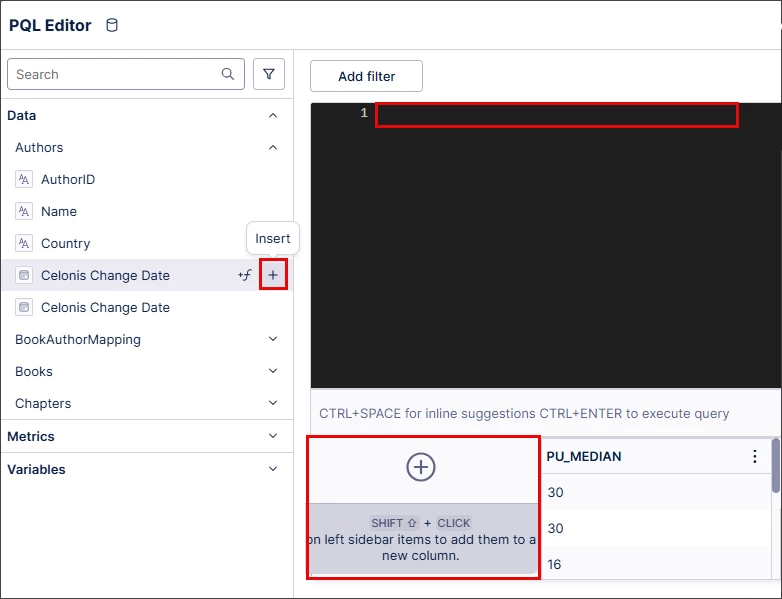
IMPROVED Changes to the Knowledge sidebar in the PQL editor
Work more efficiently in the PQL editor with updates to the Knowledge sidebar that makes it easier to work with the aggregation selector and improve alignment with other entities. You can now use the new insert button to add PQL expressions to table columns, view metadata popovers on hover, and edit filters and variables from the metadata popover.
Note: All other functionality and logic remain unchanged.
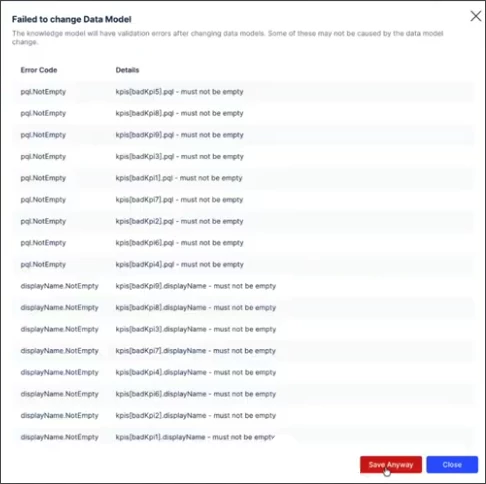
IMPROVED Validation error improvements when changing Data Model
You can now resolve validation errors more efficiently when changing the Data Model used by a Knowledge Model. Previously, a single generic message blocked changes; now, you can view a detailed, scrollable list of specific errors to streamline troubleshooting. This improvement also allows you to finalize the Data Model change even if errors persist, giving you the flexibility to fix them later.
AUTOMATION
IMPROVED Changes to Data Model Triggers
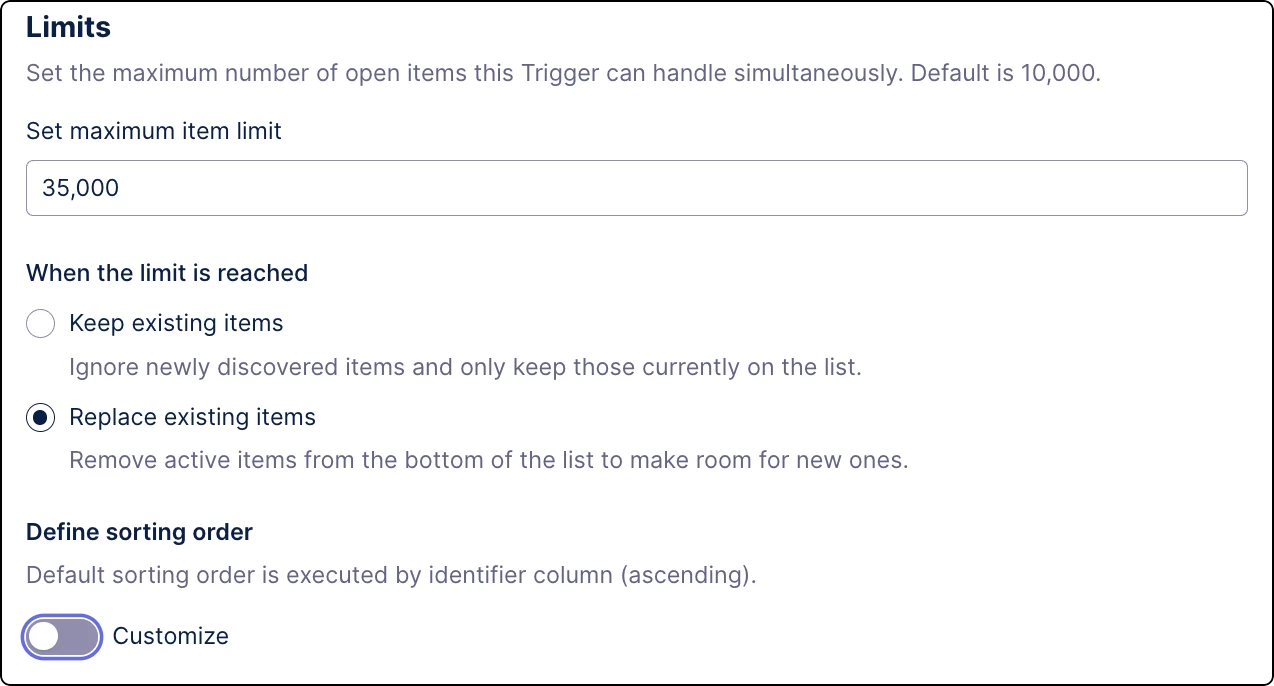
Gain more control over your automations with new limits for Data Model Triggers. You can now define how many items a trigger can handle and choose whether newly discovered items are ignored or replace lower-priority items once the limit is reached.
Stay informed about new and improved features on the Celonis Platform
Release notes | Product updates | Technical Bulletin | Status updates