




We are excited to share several key updates across the Celonis platform, focusing on expanded AI capabilities, streamlined migration tools, and deeper data integration. Major highlights include the introduction of GPT-5 models in Admin settings, a new wizard to transition legacy Views in Studio, and enhanced multi-column support in Extractor Builder. These improvements are designed to simplify your workflows and ensure you are leveraging our most advanced intelligence and interface tools.
All changes listed below are in General Availability. To take part in early previews, check out the list of opportunities here.
Planned Releases:
- Data Integration - Enhanced and refreshed SQL editor - January 2026
- Studio Views - Visual enhancements for Studio View components - February 2, 2026
ADMIN
New AI models available in AI Settings
Admins can now enable GPT-5 and GPT-5 mini within AI Settings to power team applications. This upgrade replaces older models, allowing all AI-product users to leverage higher intelligence for complex tasks. Once enabled by the admin, users can leverage the increased intelligence of these new models for use within their AI-enabled Celonis applications.
DATA INTEGRATION
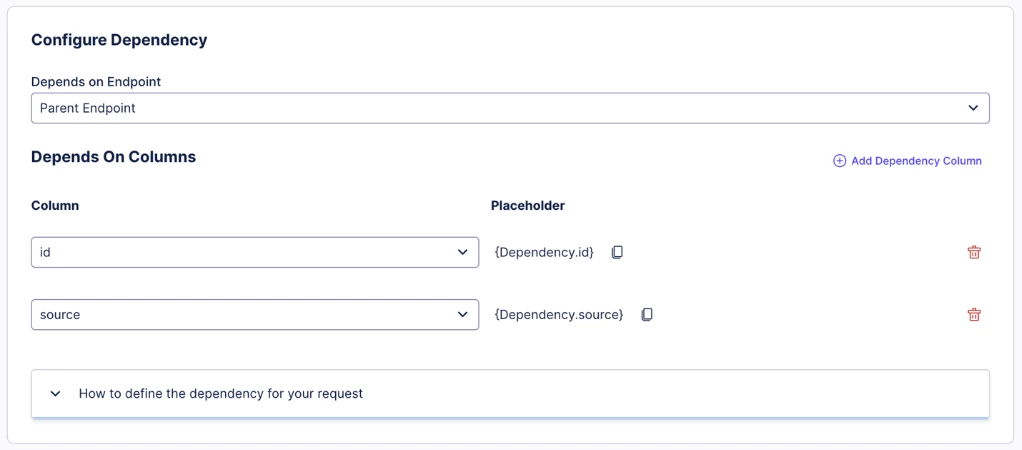
IMPROVED Extractor Builder now supports multiple dependency columns
You can now use multiple dependency columns for complex API requests, replacing single-column limits. This allows for precise data retrieval from systems requiring composite keys. By injecting several values into one request, we ensure your integrations remain robust and scalable.
PROCESS ADHERENCE MANAGER
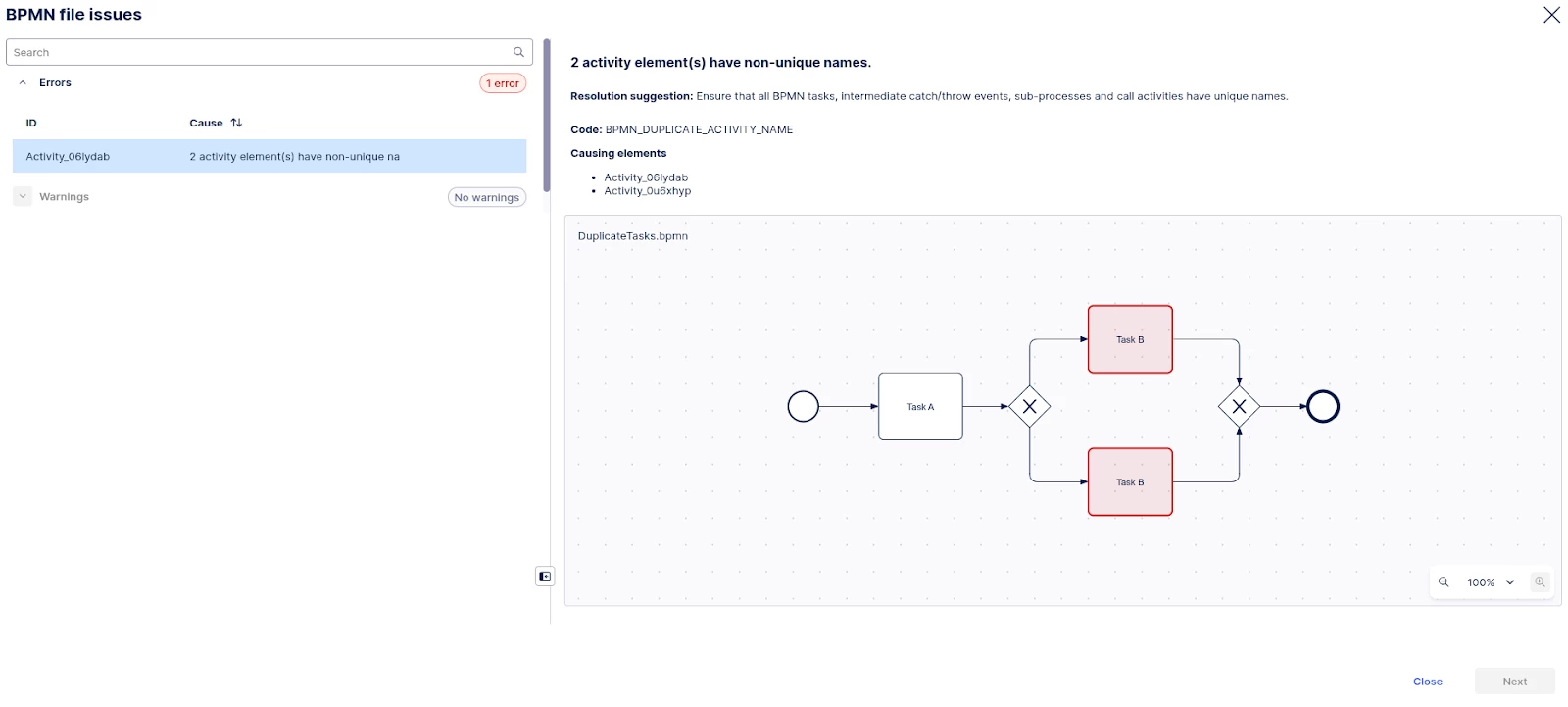
IMPROVED BPMN model repair
Process Adherence Manager (PAM) now automatically fixes common BPMN errors, like duplicate names or missing tags, during import. This saves time by preventing failed imports and ensuring models are unique and functional. It’s a simple way we’re making complex modeling feel more conversational.
PROCESS DESIGNER & NAVIGATOR
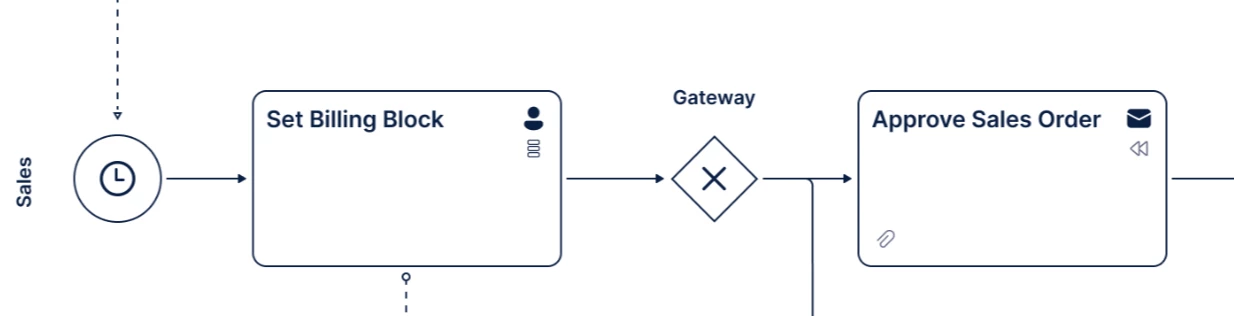
IMPROVED Canvas app updates
We've updated the Canvas app with better UI contrast and resolved SVG export issues for clearer process rendering. These fixes impact all process designers by removing unnecessary labels and fixing validation errors. You’ll find this a more reliable and efficient workspace.
STUDIO VIEWS
IMPROVED Migrate legacy Views using the migration wizard
We’ve launched a wizard to help Studio builders move legacy Views to our modern framework. You can choose a fast-track or custom path to ensure your components and variables stay intact. This move ensures you access the latest features, as legacy versions are no longer being enhanced.

IMPROVED View filter enhancements
We've simplified filtering in Studio for builders and business users by adding PQL visibility and edit-mode access. These changes mean you can create complex filters without starting from scratch while ensuring users only see relevant data. It fits into our vision of effortless, direct data interaction.
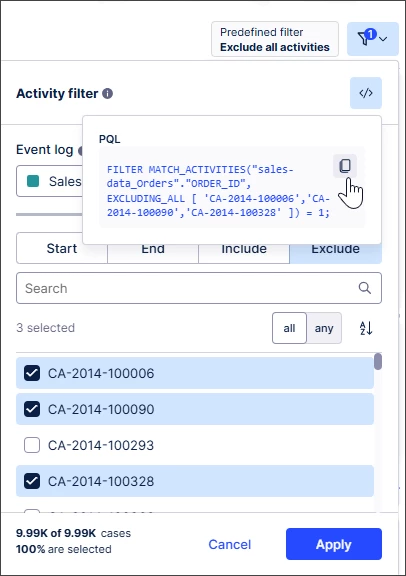
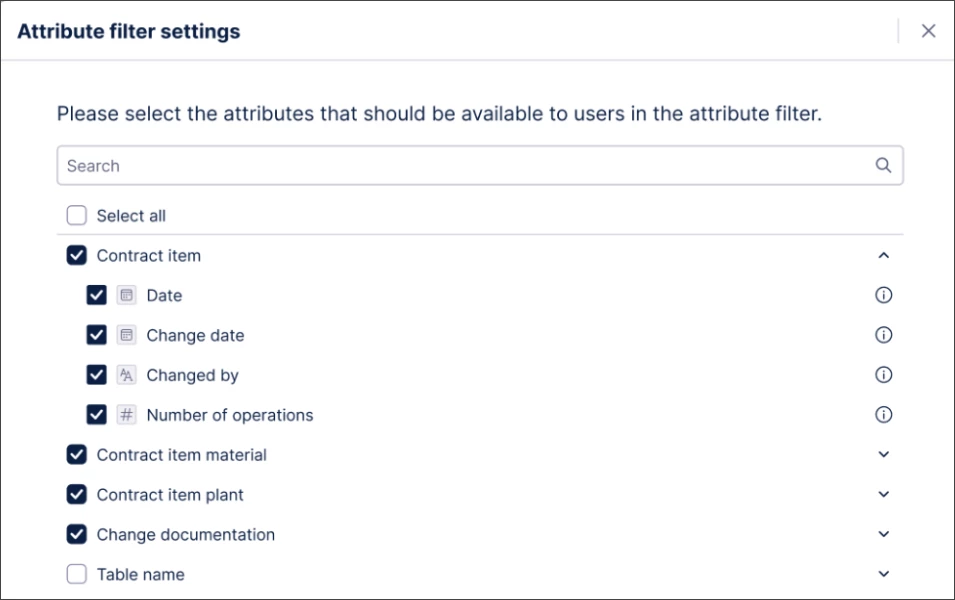
We've also made attribute filters more user friendly. You can select which attributes can be selected by business users, helping ensure only relevant options and data are displayed and we aligned container components with other components so they can be now excluded from filtering.
IMPROVED PQL editor added to select Knowledge Model entities
The PQL editor is now available for Knowledge entities such as auto-generated attributes and KPIs making query editing faster and clearer. Studio builders benefit from pre-save validation, enhanced variables and flexible entity creation which improves readability in the sidebar. These improvements bridge the gap between complex code and everyday ease.
IMPROVED New Data Label settings panel for charts in Views
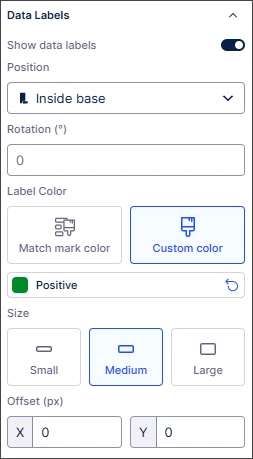
A new dedicated Data Labels panel gives you granular control over data label rotation, color, and size in charts as well as customization options available in Studio Analysis (maintenance mode only.) This replaces cluttered layouts with crisp, readable visuals for business users. It’s all about flexibility and control while making your data success the star of the show.
NEW Stacking and grouping metrics across dimensions for bar and column charts
We've made it easier to visualize multi-dimensional data by enabling charts to split automatically by dimensions. This replaces the high-effort manual process of defining individual metrics, allowing for dynamic stacked charts that adapt as your data grows. You can now limit data points and customize colors to ensure complex insights, like shipping methods or sales sub-categories, stay clear and actionable. Watch the video here.
IMPROVED Versioning and deploying packages to replace publishing workflow
We have upgraded the publishing workflow in Studio and Objects and Events with a new versioning system to give you better control over content. This change allows you to track changes, manage package versions, and deploy safely to production or development environments. By replacing the old workflow, we’ve made it simple to test new features or roll back releases, ensuring your data models stay reliable.
TASK MINING
NEW Task Mining Client software version 2.20.1
Our latest client update fixes issues with configuration requests and URL exclusion rules. This ensures smoother event processing by resolving invalid Unicode string errors. We recommend all users update to this version to maintain optimal data capture and system stability.