


We’re making the platform more accessible and secure with updates that put more control in your hands and ensure intelligent, automated workflows.
This bi-weekly update provides highly requested visual themes—including Dark and High Contrast modes—to improve your daily workspace. We’re introducing industry-standard OAuth 2.0 for safer, more robust Action Flow connections. In addition, AI insights and execution allows Annotation Builder to trigger Process Orchestrations automatically.
All changes listed below are in General Availability. To take part in early previews, check out the list of opportunities here.
Planned Releases:
- STUDIO VIEWS - Dimension switching in charts - March 2, 2026
- DATA INTEGRATION - Java requirement for on-prem JDBC - April 2026
ADMIN
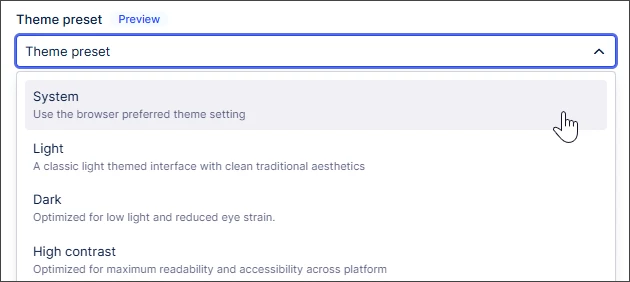
NEW Choosing Celonis Platform themes
You can now personalize your interface with light, dark, or high contrast themes via your user profile. This update improves accessibility and reduces eye strain for all users. Plus, Studio creators can now define specific dark-mode brand colors to ensure custom dashboards stay readable in any view.
IMPROVED Permissions management experience
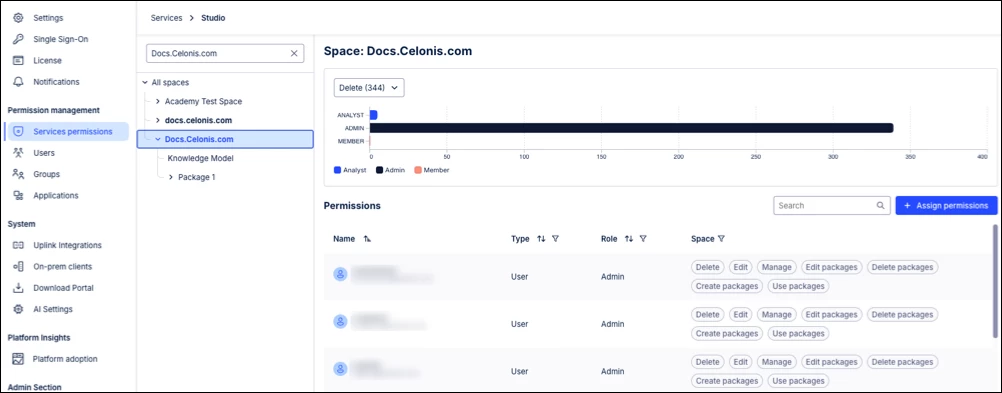
We’ve replaced checkbox-based controls with a sleek, chip-based interface in Admin & Settings. While the underlying security model remains unchanged, this update makes it faster for Admins to grant or revoke access. It’s all about making platform governance feel natural and visually clear.
DATA INTEGRATION
IMPROVED Increased string length limit for Cloud Extractors
Based on customer feedback, Cloud Extractors now support string values up to 8 KB, up from the previous 80-character limit, to accommodate longer data fields. Data Engineers should monitor manual VARCHAR tables to avoid transformation errors as we scale this limit further to 65 KB in the coming weeks.
NOTE: If column widths are not updated, you may encounter transformation errors such as:

STUDIO
NEW Process Copilot Smart Routing
You can now build a "router" Process Copilot in Studio to act as a single entry point for specialized AI tools. This allows Studio developers to maintain high-quality, focused skills across different domains while giving business users one seamless chat interface to trigger the right tool for any task. Note: Each call to a Process Copilot being used as a tool is made with a new id, so the chat history is not preserved from previous calls made to that same tool.
IMPROVED New object-centric performance metrics in Event Explorer
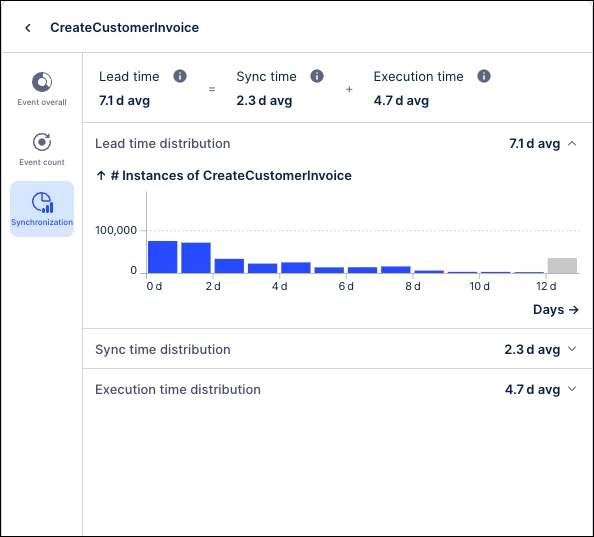
We’ve added a Synchronization tab to Event Explorer, introducing Event Lead, Sync Time, and Execution Time metrics. These out-of-the-box insights help Data Analysts pinpoint exactly where processes idle or wait for multiple inputs, making it easier to identify and eliminate hidden bottlenecks.
OBJECTS & EVENTS
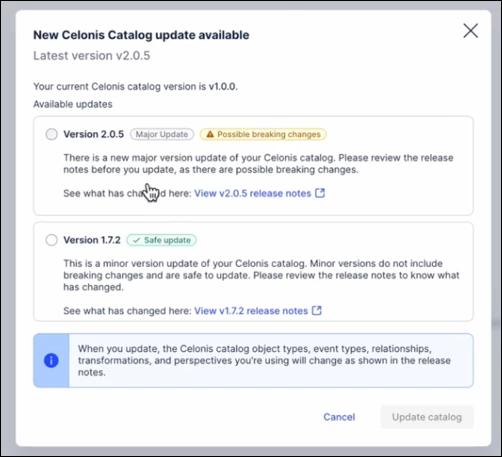
IMPROVED Control over catalog updates
We’ve refined catalog workflows for teams on v3.0.0+ to prevent breaking changes. Auto-updates now only apply to minor patches, while major releases require manual approval. This gives Data Engineers stable environments with the flexibility to choose when to upgrade.
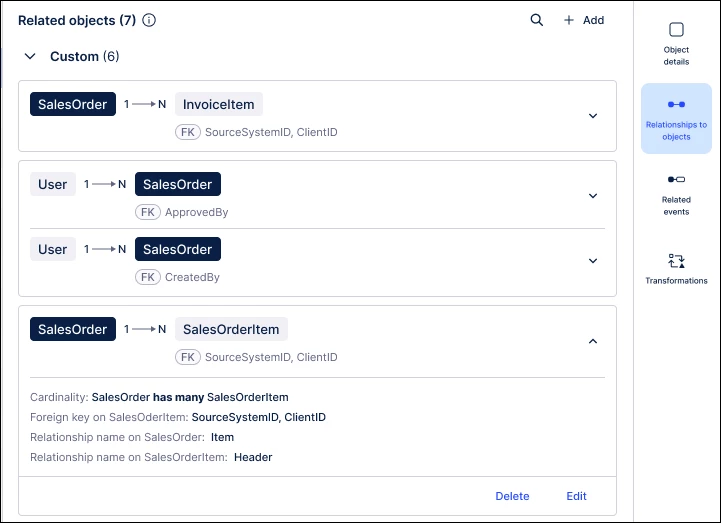
IMPROVED Updated Related Objects interface for one-to-one relationships
The "Relationships to objects" tab now features a unified list instead of split tabs, making one-to-one links clearer for Data Architects. By using color-coded chips and directional positioning, we’ve simplified how you visualize complex data models and navigate between related object pages. For example, the Outgoing and Incoming tabs have been replaced with a single list that shows all your one-to-one relationships on one page.
AUTOMATION
NEW Annotation Builder in Process Orchestration
Annotation Builder, our AI-enhanced Studio asset for processing and labeling data, can now trigger Process Orchestrations as a starting step. This allows users to automatically launch downstream actions based on AI-generated labels. It bridges the gap between manual data labeling and automated execution within the Studio ecosystem.
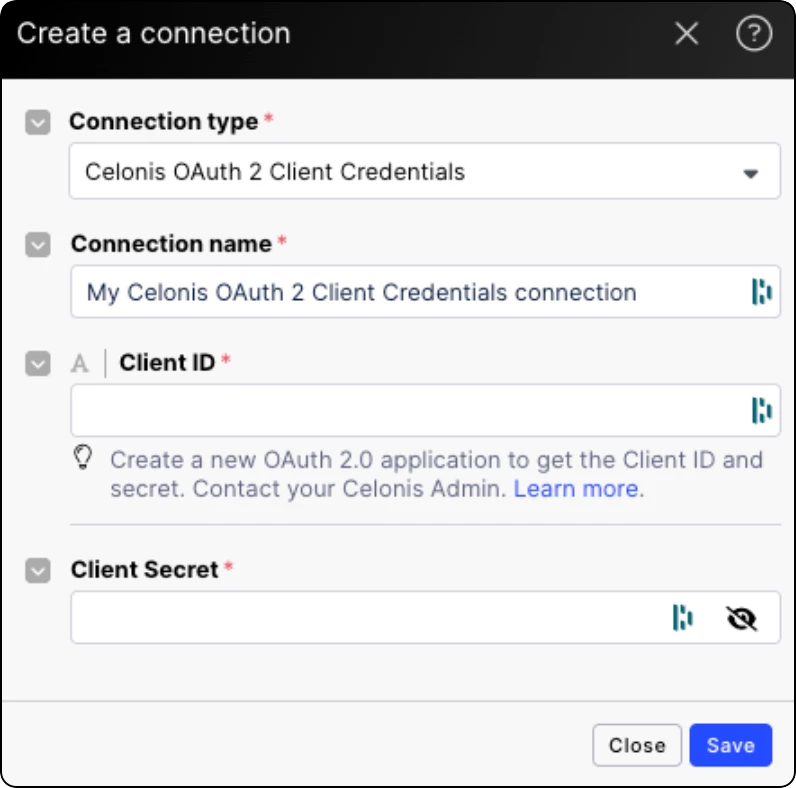
NEW OAuth 2.0 available for Action Flows
We’ve introduced OAuth 2.0 to Celonis Action Flows, allowing applications to interact securely without sharing credentials. Admins must first create an OAuth client, providing a safer, industry-standard connection method that replaces basic authentication for a more secure and robust automation setup.