Solved

Not able to select the case ID.

  • Jan 31, 2024 9:45 AM UTC
  • 4 replies
  • 159 views

For some reason I am not able to scroll down or select the case ID. Maybe it is a UI issue?Screenshot 2024-01-31 151425

Best answer by Anonymous

In edit mode, could you increase the width of the component and try again?


If you cannot edit the view, then please consult an admin.
View original

4 replies

  • Answer
  • Jan 31, 2024 9:57 AM UTC

In edit mode, could you increase the width of the component and try again?


If you cannot edit the view, then please consult an admin.


  • Jan 31, 2024 9:59 AM UTC

In edit mode, could you increase the width of the component and try again?


If you cannot edit the view, then please consult an admin.

Can you please tell me how to get to the edit mode?


  • Jan 31, 2024 10:03 AM UTC

Can you please tell me how to get to the edit mode?

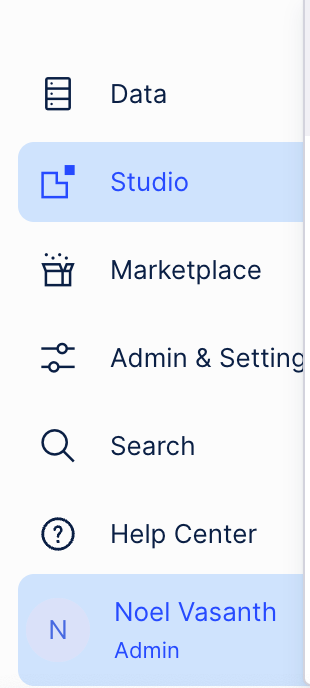
First check if you are admin. This you can see at the bottom left corner of the page.

image 

If you are , then you can edit all analysis/views. Do so by click studio -> navigate to your app -> select your package -> select your view -> top right corner "Edit".


Once you are there you can increase your component width.


If you are a member, you could zoom out of the website so you can see more of the component contents.


Jan-Peter van der Steege
Community MVP
Forum|alt.badge.img+28

I guess this is not in a View, but in the configuration of the data model, to specify your eventlog?


It could be a UI issue, or it could be that you do not have the permissions to see the data. Please ensure that there are no data permissions set on the data model (this is not applicable if you are admin).