

I created a ‘Status change’ event in OCPM and I can’t establish an order for the events that have the same timestamp. The script looks like this (I simplified it to be easier to understand):
SELECT DISTINCT
  'MeldungGeneralEvent_' || meldung_objects.QMNUM || JCDS.STAT || JCDS.UDATE || JCDS.UTIME AS "ID",
  'Meldung_' || meldung_objects.QMNUM AS "Meldung",
  'Meldung Status Changed' AS ActivityName,
  COALESCE(SS.TXT04, US.TXT04) AS ActivityStatus,
  CAST(JCDS.UDATE AS DATE) + CAST(JCDS.UTIME AS TIME) AS "Time",
  CASE
    WHEN  COALESCE(SS.TXT04, US.TXT04) LIKE '%EGPR%' THEN 33
    WHEN  COALESCE(SS.TXT04, US.TXT04) LIKE '%MMAB%' THEN 34
    ELSE 32
  END AS Sorting,
FROM meldung_objects
To give an example, I select only the activities for Meldung number “748291035”:
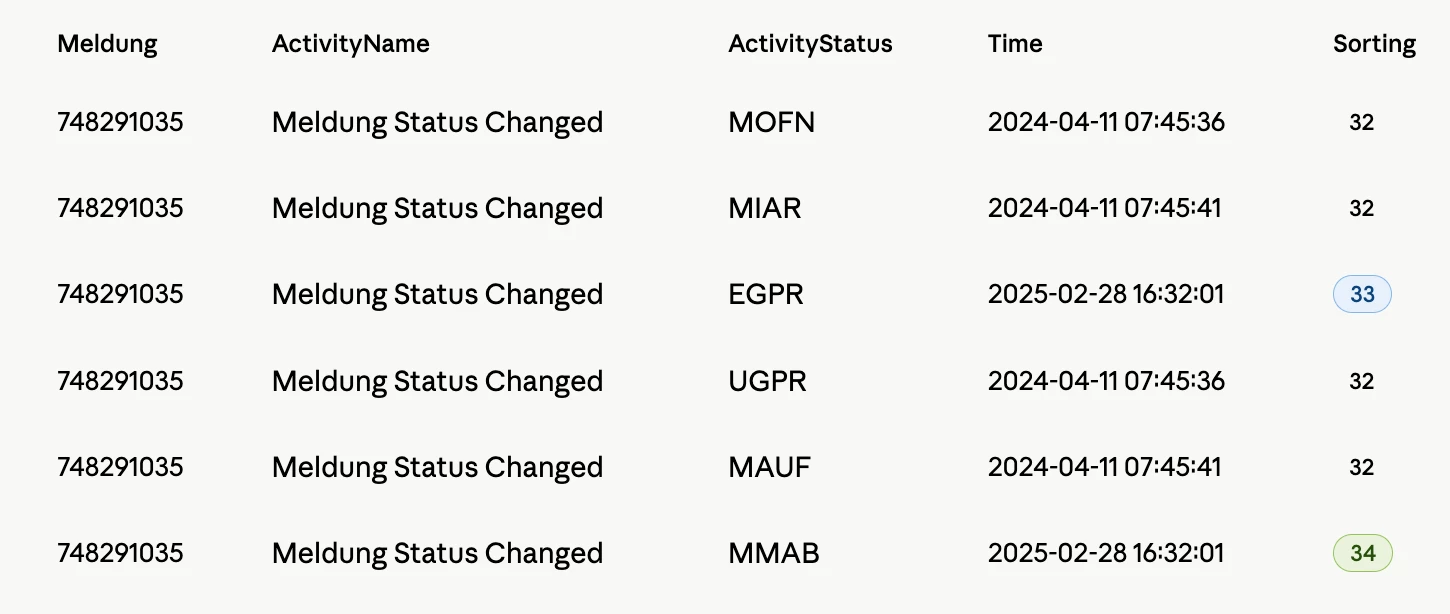
The way I want my activities to be ordered is like this:
- Time
- Sorting
- Alphabetical order for ActivityStatus
So the order to be: MOFN, UGPR, MAUF, MIAR, EGPR, MMAB
First, I tried to use the Sorting column in the Knowledge Model, where I defined my Event log.
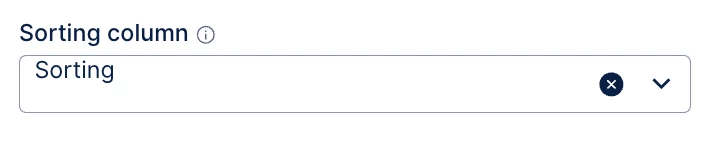
But this Sorting can not be used for ‘Status Change’ events, that need to be relabeled.
Therefore, in my script defined in Tranformations in ‘Object and Events’, I added an order by clause, at the end of the select:
SELECT DISTINCT
  'MeldungGeneralEvent_' || meldung_objects.QMNUM || JCDS.STAT || JCDS.UDATE || JCDS.UTIME AS "ID",
  'Meldung_' || meldung_objects.QMNUM AS "Meldung",
  'Meldung Status Changed' AS ActivityName,
  COALESCE(SS.TXT04, US.TXT04) AS ActivityStatus,
  CAST(JCDS.UDATE AS DATE) + CAST(JCDS.UTIME AS TIME) AS "Time",
  CASE
    WHEN  COALESCE(SS.TXT04, US.TXT04) LIKE '%EGPR%' THEN 33
    WHEN  COALESCE(SS.TXT04, US.TXT04) LIKE '%MMAB%' THEN 34
    ELSE 32
  END AS Sorting,
FROM meldung_objects
ORDER BY
    Meldung,
    "Time",
    Sorting,
    ActivityStatus
I notice that after the transformation is ran in the Data Integration, my table is not ordered, so I think ORDER BY does not work in here.
So the question is, how can I order the activities?