



Hi guys!
I feel kind of stupid to ask this kind of question but I can’t find a way to show the current year (currenly “2026”) in a chart title or column header.
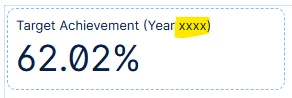
In the studio it was easy:
I created a variable as “static value” type and used the
PQL “YEAR(TODAY())”.
In my chart I added the result with a syntax like
“Target Achievement (Year <%=current_year%>)”
Now in the views I can’t use PQL to populate a variable.
I can calculate the year in a KPI - but I can’t use that in a title or column header.
What am I missing??
I need this variable to be populated automatically, not hardcoded or assigned manually!
Thank you guys,
br Florian


