
Question

How to Pass Filters Across Views with Different Data Models

  • Oct 27, 2026 8:14 AM UTC
  • 3 replies
  • 120 views

Arunjit
Level 4
Forum|alt.badge.img+1

I'm working on a dashboard where I have a risk analysis view with multiple risk areas. Each risk area has a "Deep Dive" button that takes users to a detailed view for further investigation.

The challenge: The detail view is built from a different data model, so I can't use the standard "Open linked view" feature which would normally sync filters automatically.

What I want to happen:

  1. User selects a customer in the main risk view
  2. User clicks the "Deep Dive" button for a specific risk area
  3. The detail view opens and is automatically filtered to show data only for that selected customer
  4. The customer context flows seamlessly between the two views

Currently, the Deep Dive button just opens the detail view without any customer filter applied, so users have to manually select the customer again.

Has anyone solved a similar issue? How did you handle passing filter values between views built on separate data models? Any tips or recommended approaches would be appreciated.

Thanks!

3 replies

abhishek.chatu14
Level 12
Forum|alt.badge.img+8

Filter sync does not work across different Knowledge Models (KMs), even if they use the same data model.

Instead, pass the selected customer using a View variable.

How to set it up

1. Main View (Risk Dashboard)

  • Capture the selected customer in a variable.

  • Configure the Deep Dive button using Open linked view.

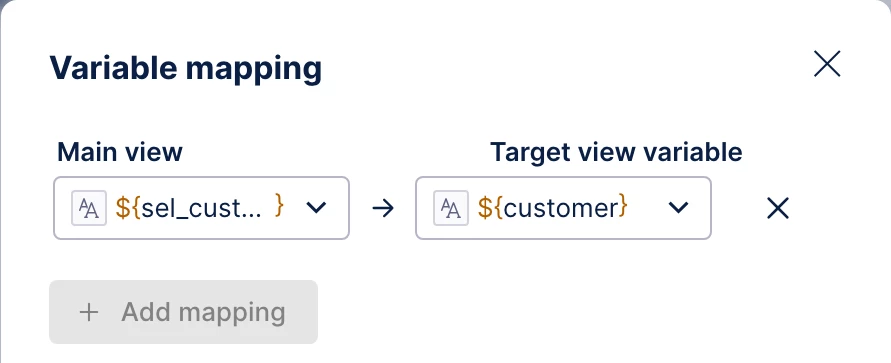
  • Map the selected customer to the target View variable.

2. Detail View (Deep Dive)

  • Create a View variable called selected_customer.

  • Configure the charts and tables to filter using this variable.

  • Enable Set variable as filter to the target View if applicable.

Important points

  • Sync filters won't work across different KMs.

  • Variable mapping is the recommended solution.

  • Ensure the customer values match exactly in both models.

  • Don't rely on existing dashboard or container filters to carry over.

In short: Instead of syncing filters, pass the selected customer from the main View to the Deep Dive View using variable mapping.


Arunjit
Level 4
Forum|alt.badge.img+1
  • Author
  • Level 4
  • Nov 9, 2026 4:13 AM UTC

Thanks for the reply Abhishek!! 

We have already explored the ‘open linked view’ option, however it requires the views to use the same KM, it doesn’t seem applicable to our setup.

Set up:

  1. Deep Dive Views: Dashboards with different data models and KMs.
  2. Action Flow: We use action flow to extract aggregate snapshots for each dashboards at customer level.
  3. Risk Dashboard- It uses separate data model with snapshot aggregated data to show relation/comparison with each KPI/dashboard.


We did not find any other way to link the deep dive dashboards with Risk dashboard, other than ‘Go to view or URL’. All other option requires the deep dive dashboards to be on the same KM. With this current set up, Is there a supported way to pass the selected customer’s identifier from the Risk Dashboard to a Deep Dive dashboard and use it to filter the target view—for example, through URL parameters.


gagan1
Community MVP
Forum|alt.badge.img+8
  • Community MVP
  • Nov 11, 2026 4:16 AM UTC

Hi ​@Arunjit ,

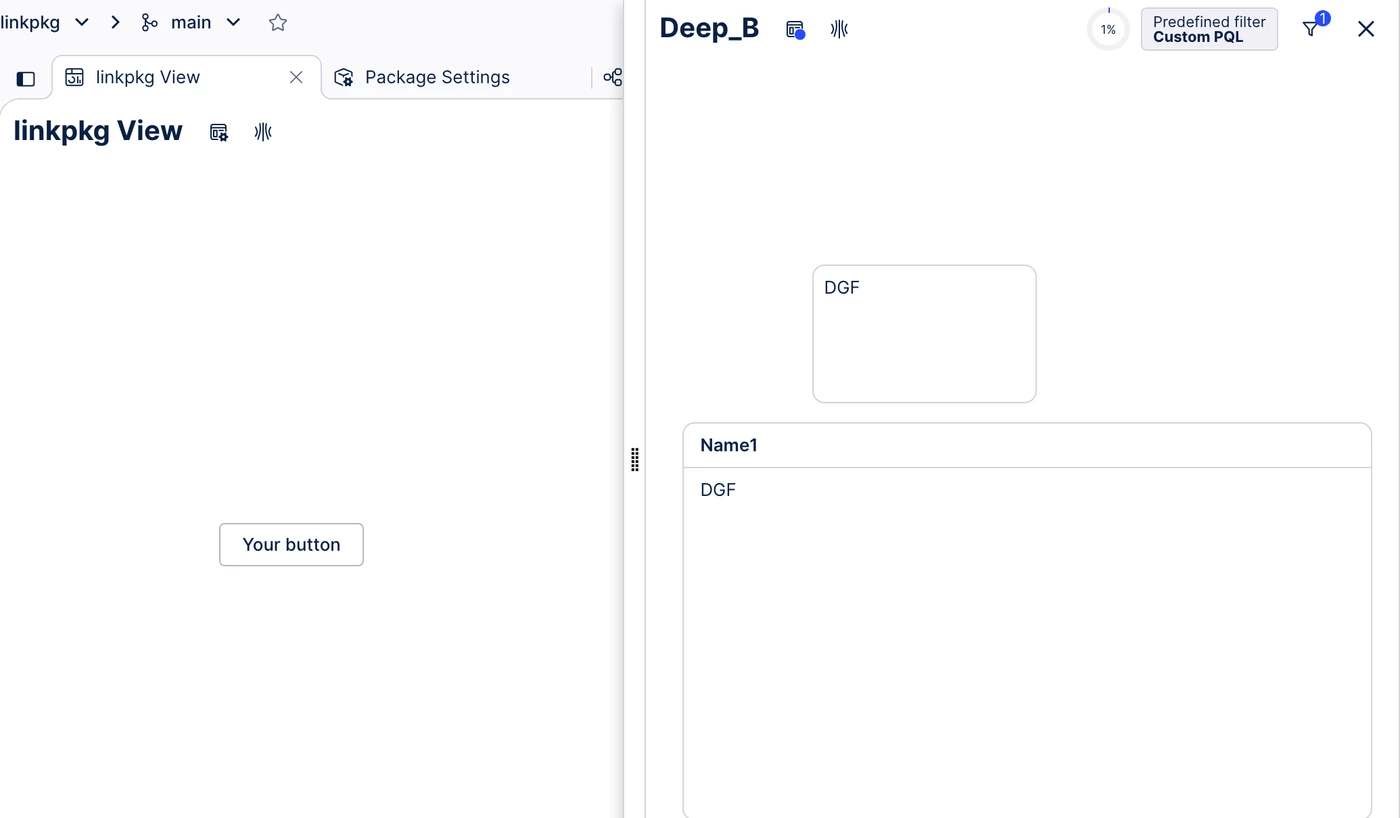
I don't think the KM is what's blocking you. The Open linked view docs ask for both Views to be in the same Studio package and say nothing about the KM. I tested it in Studio to be sure, with a Risk View on one KM (Order-to-Cash data model) and a Deep Dive View on a second KM (Accounts Payable data model) in one package. The button listed the Deep Dive View, the value came through, and the Deep Dive opened filtered to that one record while still running on its own KM.

This is the setup that worked.

  1. In the Deep Dive View, create a View variable, for example customer (string).
  2. Add a custom View filter there, FILTER "YOUR_TABLE"."CUSTOMER_ID" = '${customer}';
  3. In the Risk View, hold the selected customer in a View variable. An input box can save its value straight into one.
  4. On the Deep Dive button, switch on Open linked view, pick the Deep Dive View and map the Risk variable to customer.

So if your Deep Dive Views live in other packages, that's the part to change. Put them in the Risk View's package, a package can hold several KMs on different data models and each View keeps its own. Two things to keep in mind. It opens as a side panel or modal overlay rather than a new page, and the customer ID needs the same format in both models.

​Abhishek's variable mapping idea is the right mechanism, the package was the missing piece.

On URL parameters, Go to view or URL can put a dynamic value into the link, but I couldn't find a documented way for a Studio View to read it back when it opens, so I wouldn't build on that.

Screenshots from the test below.
 

1
2
3