
Question

Good Practice for Displaying Historical KPIs in Celonis (Without Source Data Overwrite)

  • June 11, 2026
  • 3 replies
  • 42 views

Krzysztof_G
Level 2
Forum|alt.badge.img

Hi everyone,
 

I’m looking for advice on how to track and display historical KPIs in Celonis so the values are not overwritten as source data changes over time.
 

Example:
I want to track the % of maintenance tariff codes for purchase order items (i.e., EKPO.BEST_STAWN filled vs. all items). Some of my KPIs also use relationships between EKPO, MARA, and LFA1.

I need to calculate and store these KPIs in monthly intervals—to know exactly what the maintenance value was for each month in the past, not just recalculate it on current data.
 

1 What’s the best way in Celonis to store unchangeable monthly KPI values?
2 Is it better to use Automated Table Snapshots (copy/freeze tables) or KPI Snapshotting (export results), or something else?

3 If table snapshots are best, should I build them in the backend (SQL/jobs) or can I do it inside Celonis using Action Flows or some built-in module?
 

Thanks!

3 replies

Kamil Deren
Level 3
Forum|alt.badge.img+1
  • Level 3
  • June 11, 2026

Hi Krzysztof,

If I understood you correctly, you want to take snapshots of current status month by month and show the progress on some kind of chart or table right?

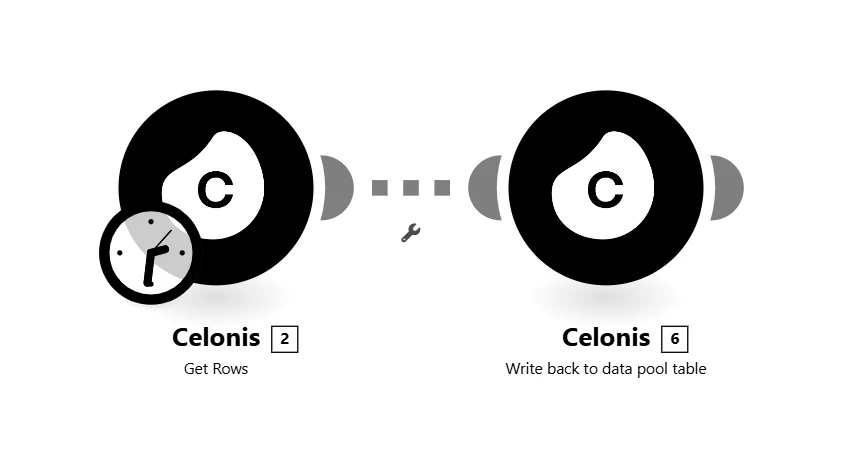
I am using simple Action Flow for that (example where I track number of duplicates in Vendor Master Data):


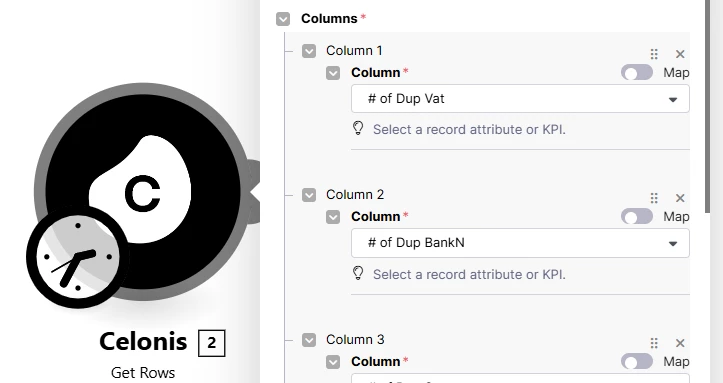
In “Get Rows” module I am querying current state of my KPIs:

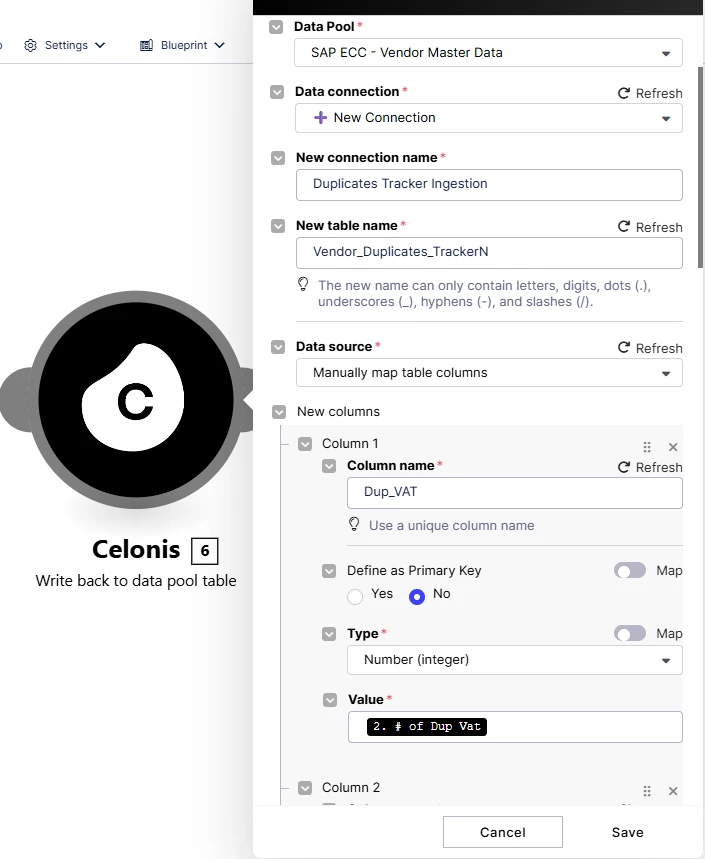
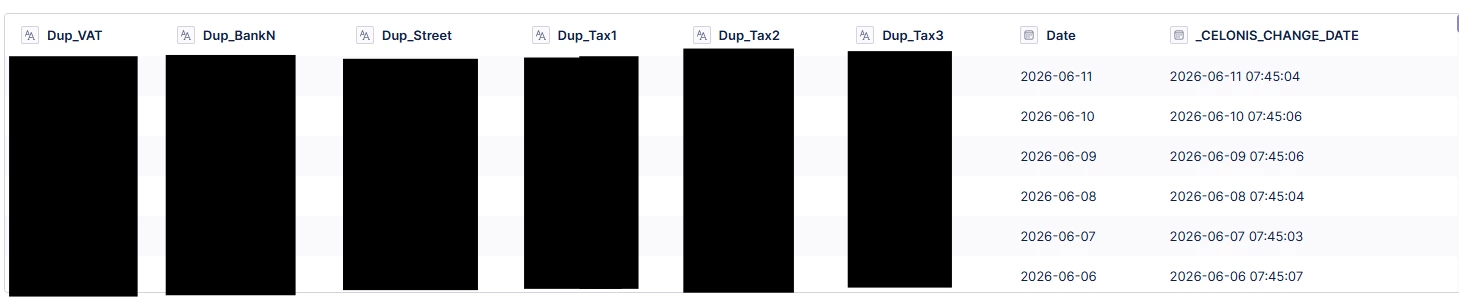
And then writing it back to the table that I add to my Data Model:


I have also tried to use automated SQL snapshots but I found this way easier and more reliable.


Hope that helps! ​​​​​​​


Forum|alt.badge.img
  • Level 9
  • June 12, 2026

@Kamil Deren , you are writing figures back to SAP table ?


Kamil Deren
Level 3
Forum|alt.badge.img+1
  • Level 3
  • June 12, 2026

Hi ​@gil.liu ,


With this solution no. This data is stored in the Data Pool table and added as a table into the Data Model, so it can be used in Views.


However, writeback to SAP is possible using SAP modules in Action Flows, but that was not the goal of this project.