Question

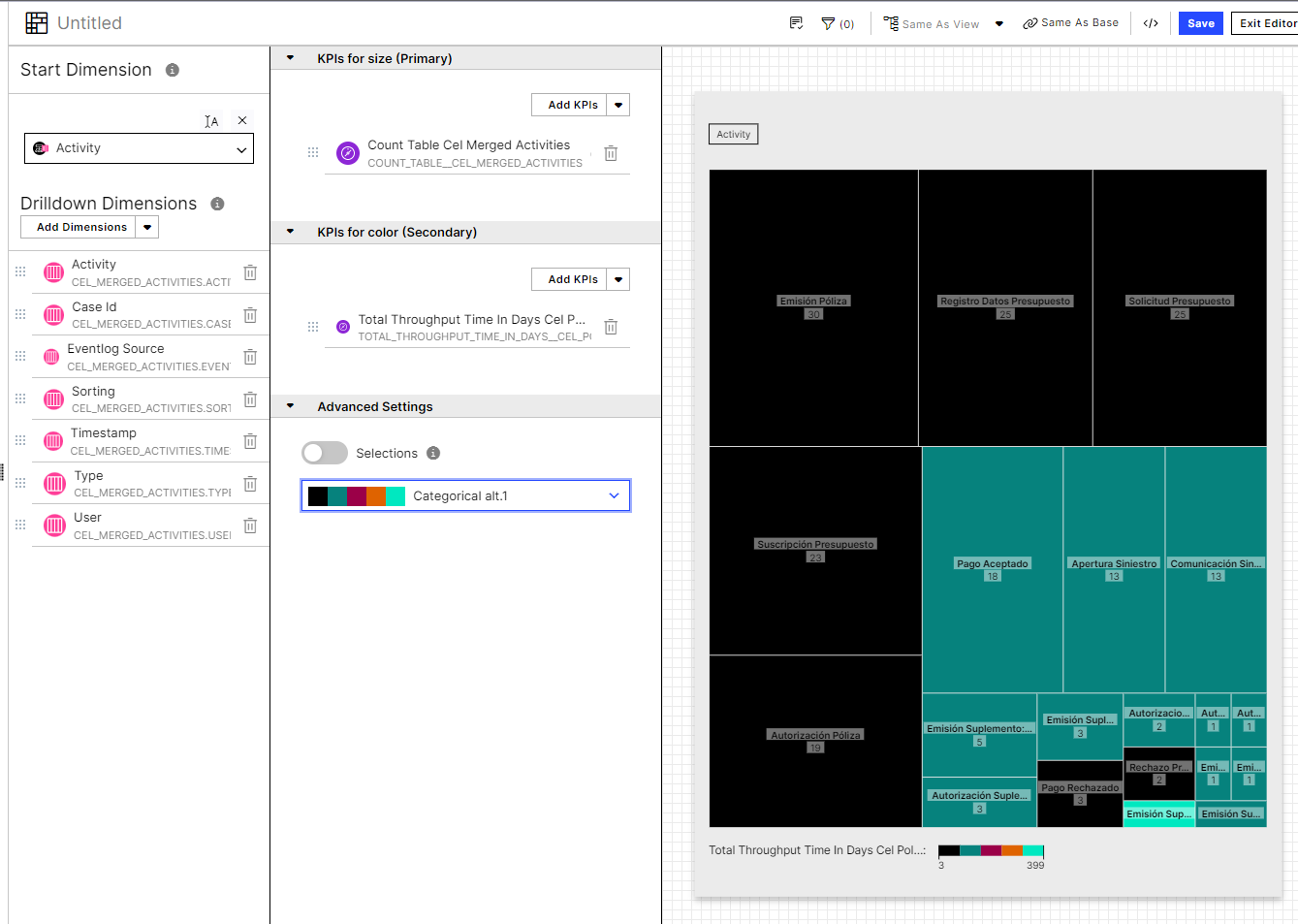
Hi, Is there a way to modify the treemap component color scheme but use a classification filter instead of the case's quantity?

  • October 24, 2022
  • 4 replies
  • 7 views

Forum|alt.badge.img+14

We are trying to use a treemap which has a color mapping that uses a classification PQL instead of the case's quantity.


Has anyone faced this challenge? Is there a way to modify the color based on a classification?


In advance, I appreciate your kindly help.


4 replies

Not sure if I am answering your question, but you can use any KPI for color palette in treemap (of course, needs to have relation with the dimension and the size)


image


Forum|alt.badge.img+14
  • Author
  • Level 2
  • October 25, 2022

Dear Guillermo,


Thank you for your message and suggestion, we used that approach, but we are looking something a little bit more complex.


We are trying to keep the treemap dimension and size based into the number of cases and just change the color related with a classification PQL we had in other KPI. I do not know if it is possible?


Hmmm.... How's that classification PQL KPI? Something like "CASE WHEN whatever THEN 1, when whatever2 then 2, etc....?


I guess that, as long as the output of the KPI is numerical, you could use it for the colors.


But, again, you will need to test it.


HTH


Forum|alt.badge.img+14
  • Author
  • Level 2
  • October 26, 2022

Hi Guillermo,


Thanks a lot. We changed the PQL to a numeric value, and it worked (yes, we were using a CASE WHEN but we used a string classification type as output).


Now is working as expected.


Thank you again