Question

Hello Team,How to use the Line (Horizontal Rule) in Views?As there's no component available under the drop down in Create Component in Visual Editor for Line Component.Thanks!

  • Nov 10, 2022 4:30 AM UTC
  • 4 replies
  • 72 views

Hello Team, How to use the Line (Horizontal Rule) in Views?As there's no component available under the drop down in Create Component in Visual Editor for Line Component. Thanks!
4 replies

  • Nov 10, 2022 9:21 AM UTC

Hi,


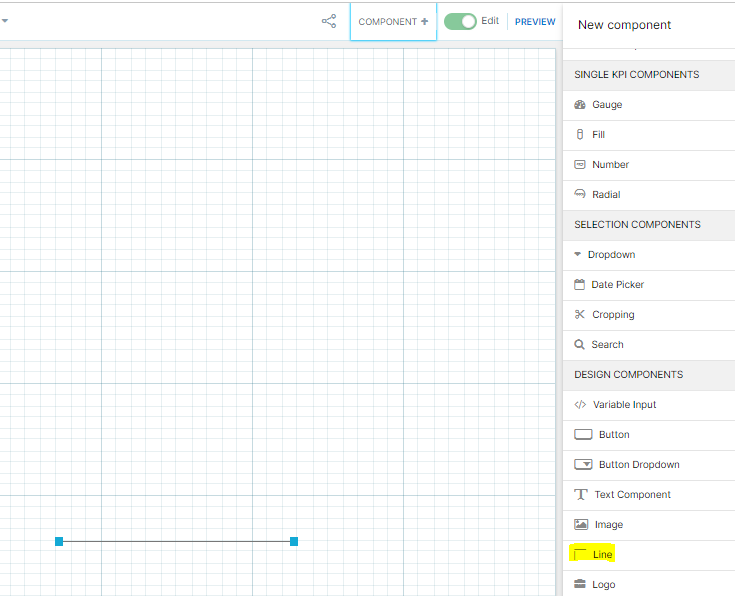
You can use "Line" from design component.

image.png


Hello @Shesagiri Gedila ,

Thanks but I would like to add the same in Views :)


abhishek.chatu14
Level 12
Forum|alt.badge.img+8

Hi Reenu,


Celonis suggests that we can use a component called as line horizontal that can only be created in the text editor


id: horizontalRule

type: hr


Kindly find link for more information

https://docs.celonis.com/en/line--horizontal-rule-.html#UUID-735fad65-2c84-c8c3-17fd-074ddb4ae7de_id_LineHorizontalRule-BasicLine


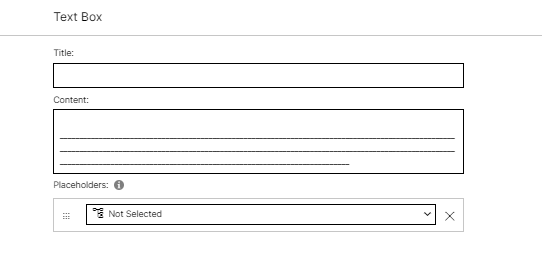
Another solution would be to use a text editor and put in multiple underscore


image 

PS : You can directly copy paste the below to get a full line

____________________________________________________________________________________________________________________________________________________________________________________________________________________________________________________________________________________


Hello @Abhishek Chaturvedi ,

Thankyou for your response and this works exactly as expected :).