Question

Action flow CSV Formatting

  • April 14, 2026
  • 3 replies
  • 17 views

Nick.Monteleone
Level 3
Forum|alt.badge.img

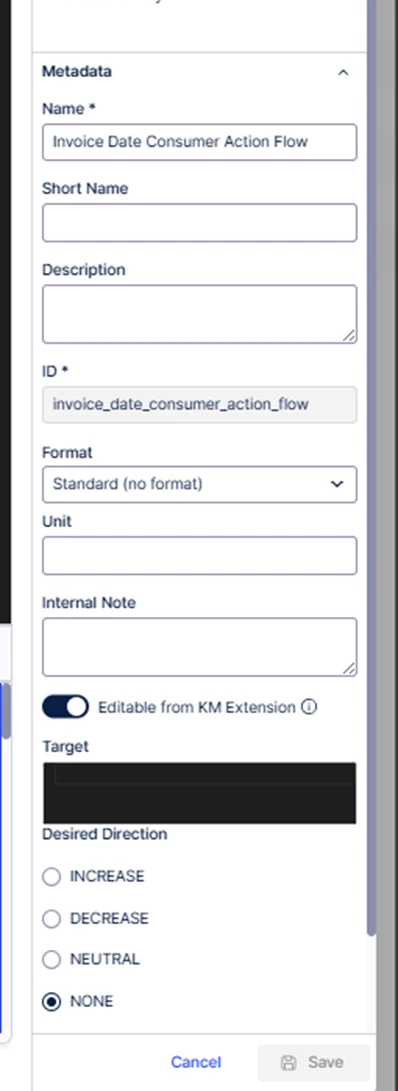
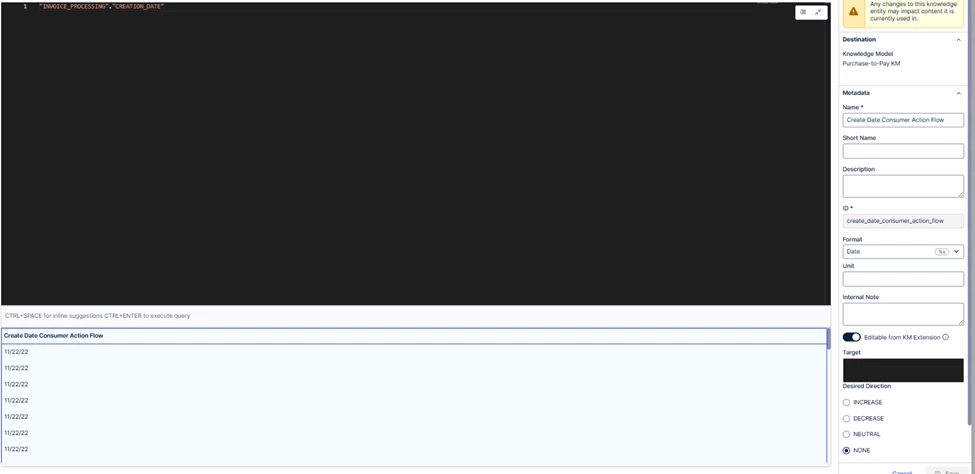
I am having an issue with dates and exporting to csv. They are both kpis but any way I set it up its not coming over in any format. Need some help to get this working to show as MM/DD/YYYY.


 

Result of the action flow

 Result after action flow runs


KPI 1

KPI 2 


3 replies

denis.pede12
Level 7

Hi Nick, that’s actually a quick fix which you need to implement in the action flow itself. 

  1. Open the “Create CSV” module. 
  2. Go to your date column and use the formula “formatDate” for your column:
  3. In my example I used the format “YYYY-MM-DD hh:mm” to get the following output: “2026-04-15 14:52”. You simply need to use the format you expect.

  4. Test by running the module only and checking the output.

I hope this helps!

Cheers,

Denis


Nick.Monteleone
Level 3
Forum|alt.badge.img

Hi I will try this!

I ended up fixing it manually with updating the KPI to this formula vs the formatting on the KPI.

CONCAT(YEAR("INVOICE_PROCESSING"."INVOICE_DATE"), '-', MONTH("INVOICE_PROCESSING"."INVOICE_DATE"), '-', DAY("INVOICE_PROCESSING"."INVOICE_DATE"))


janpeter.van.d
Level 12
Forum|alt.badge.img+26

Hi ​@Nick.Monteleone


Dates in Celonis are in Unix-Epoch format, being milliseconds after 01-01-1970 stored as an integer. This is exactly what you see in your Excel. Converting it to a String would solve it visually as you did and ​@Dennis suggested. If you want to maintain its numerical functions (i.e. doing calculations with it), you can keep it as integer and let Excel do the formatting (for example: https://exceljet.net/formulas/convert-unix-time-stamp-to-excel-date).

Best regards,

JP