Question

Throughput time between 1 source activity with 2 destination activity

  • October 7, 2020
  • 8 replies
  • 17 views

Dear Team,

I would like to create the throughput time for two different destination activities.

example, from sales order creation to delivery note creation (automated) is one and sales order creation to delivery note creation (manual) is another.

i wanted to combine both the manual & automated in one throughput chart

in our data model, we have considered above as two activity based on the user type.

8 replies

  • Level 0
  • November 22, 2021

@prakash.k14 with the CALC_THROUGHPUT formula you can group activities and then reuse them in the calculation. Check out the examples on this page:

https://confluence.celonis.com/display/PQLdevelopment/CALC_THROUGHPUT


Best

Kevin


  • Level 0
  • November 22, 2021

  • Author
  • Level 3
  • November 23, 2021

Hi @kevin.flesc :

Thanks for your reply. But unfortunately am facing trouble in logging in to the above page after provided credentials even after logged in to the page.

Getting the error message as "The account needs to be added as an external user in the tenant first. Sign out and sign in again with a different Azure Active Directory user account." , do i need to check with my IT department or Is that something you have to add my name in the tenant.. Thanks for your reply once again.


  • Level 0
  • November 23, 2021

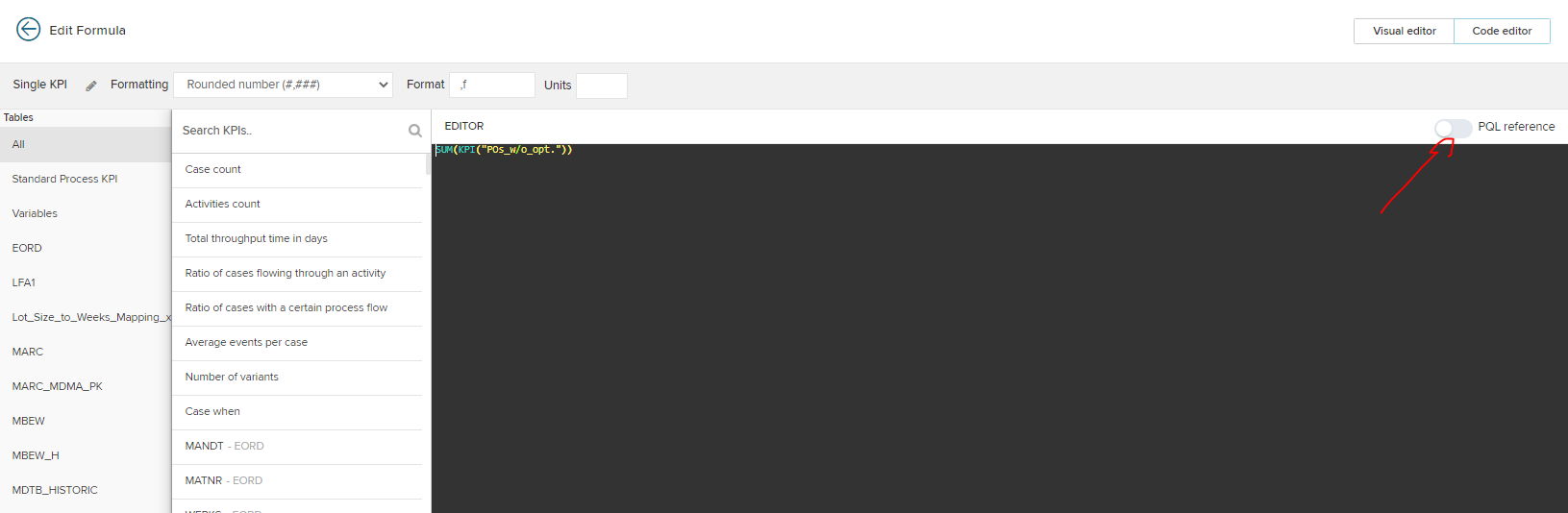
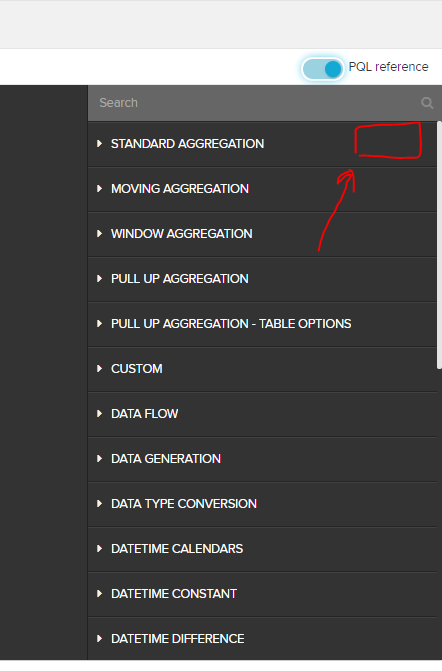
@prakash.k14  It should also work once you open the PQL reference and then click on the little "Help". You get to the PQL reference by going into the PQL editor in any component.imageimageHope this helps.


Best Kevin


  • Author
  • Level 3
  • November 23, 2021

@prakash.k14  It should also work once you open the PQL reference and then click on the little "Help". You get to the PQL reference by going into the PQL editor in any component.imageimageHope this helps.


Best Kevin

Hi Kevin, Thanks a lot.. will apply.. I think it works..


  • Level 0
  • November 23, 2021

Glad that it seems to have worked.


gabriel.okaba11
Celonaut
Forum|alt.badge.img+2

Hi Prakash,

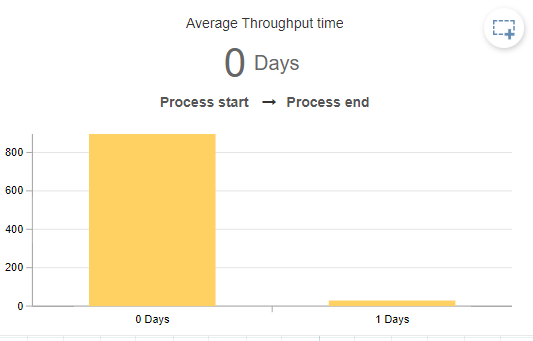
A better no brainer would be to use the prebuilt component "Throughput time search". It is more flexible and show you even the distribution of TPT


image 

Best,

Gabriel


gabriel.okaba11
Celonaut
Forum|alt.badge.img+2

Also, the links Kevin shared are for internal Celonis use only.

But you can find the right URLs in the Help Resource by logging in, clicking on top right on the P letter and then Help resources

You can also paste this piece in the end of the url after logging in

celonis.cloud/help/display/CIBC/CALC_THROUGHPUT

celonis.cloud/help/display/CIBC/Throughput+Times