
Solved

How to disable automatically created Data Model Loads for standard Celonis perspectives?

  • February 9, 2026
  • 4 replies
  • 102 views

wolfgang.voelk
Level 7
Forum|alt.badge.img+1

We have extended several of the Celonis Catalog perspectives. As a result, we now have Data Model Loads for both the original perspective (e.g., perspective_celonis_AccountsPayable) and our customized version (perspective_custom_AccountsPayableExtended).

For our operational use, we only need the extended version. Therefore, loading the original Celonis perspective is unnecessary. However, these automatically created Data Model Loads cannot be set to Enabled = false.

Question:
How can I deactivate or exclude the automatically generated Data Model Load for the standard Celonis perspective within the ocpm-data-jobwithout deleting the entire perspective?

Any guidance or best practices would be appreciated.
Best answer by abhishek.chatu14

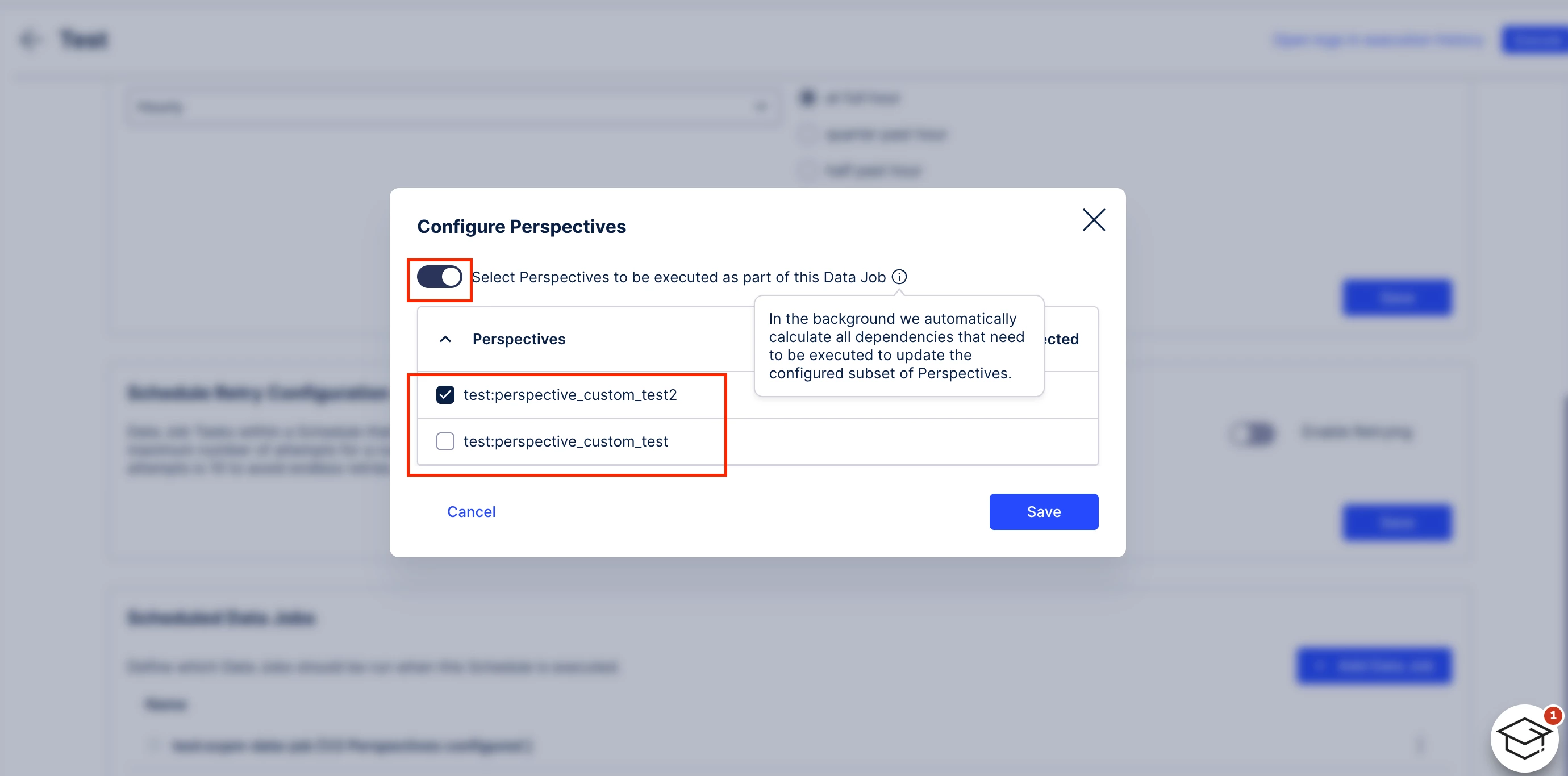
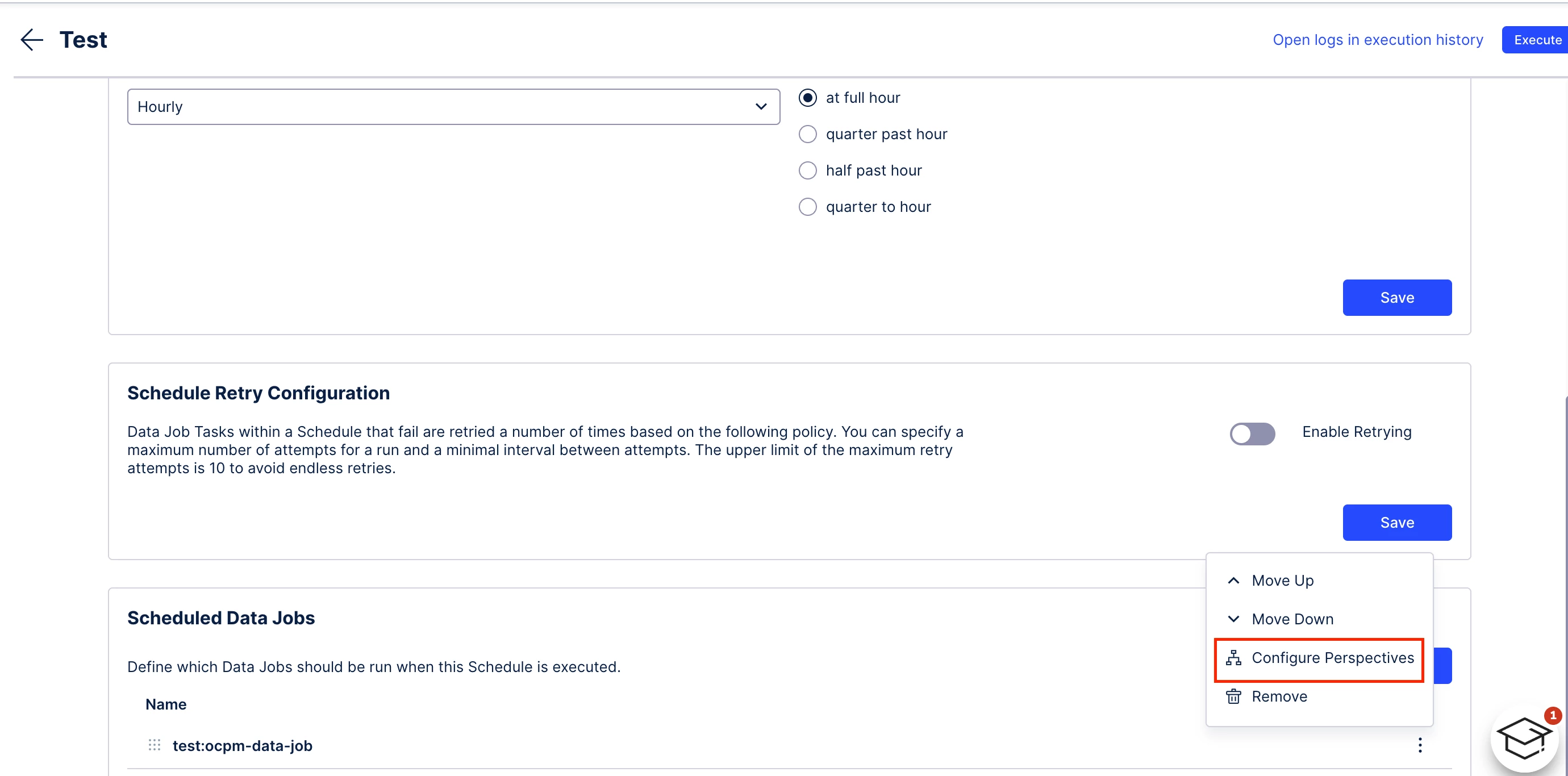
You don’t need to exclude the whole data job just the perspective, try the following

In you schedule you would have an option to edit the schedule i.e.


Disable whatever perspective you don’t want to load


4 replies

abhishek.chatu14
Level 11
Forum|alt.badge.img+8

I might be missing something, but can’t you just run the specific perspective you want, either manually or by editing the schedule?


wolfgang.voelk
Level 7
Forum|alt.badge.img+1

Hi and thank you for your reply,
in our OCPM-configuration, the 2 data jobs “ocpm-data-job” and “test:ocpm-data-job” are automatically created. These jobs contain all CCDM Transformations AND a Data Model Load for each perspective… 
I am seeking for a possibility to disable some of these Data Model Loads. If I excluded the whole 2 jobs from our schedule, I would have to execute dozens of transformations manually.


abhishek.chatu14
Level 11
Forum|alt.badge.img+8

You don’t need to exclude the whole data job just the perspective, try the following

In you schedule you would have an option to edit the schedule i.e.


Disable whatever perspective you don’t want to load


wolfgang.voelk
Level 7
Forum|alt.badge.img+1

Thank you very much! This is very likely what I was looking for. (I will try it the next days) ...I wasn’t aware of this option in the schedule-configuration.