


Hi everyone,
I am currently working on a Bachelor's thesis on Object-Centric Process Mining (OCPM) using Celonis (academic license). For my analysis, I am uploading the publicly available OCEL 2.0 P2P simulation log (https://www.ocel-standard.org/event-logs/simulations/p2p/) into the Celonis OCDM using the provisional upload procedure via splitter.py. This procedure generates SQL files per object and event type, which are then inserted as transformations in the Objects & Events feature. (chrome-extension://efaidnbmnnnibpcajpcglclefindmkaj/https://ocel-standard.org/provisional_celonis_upload_procedure.pdf)
Now I have the following problem:
When executing the Data Job, 9 out of 10 event types upload successfully — including larger ones like CreateGoodsReceipt (~4,000 events, ~48,000 lines of SQL). However, the event type ExecutePayment consistently fails with:
"The query contains a SET operation tree that is too complex to analyze. Please review your query and try again."
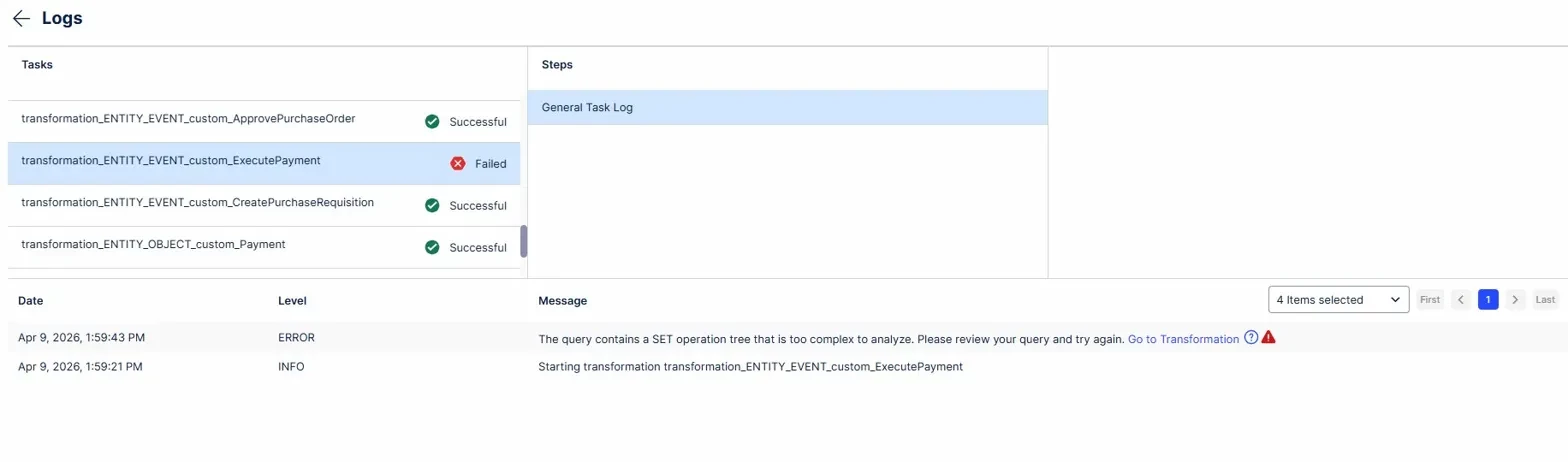
ExecutePayment involves 4 related object types:
- Payment (involves one, 1:1)
- InvoiceReceipt (involves one, 1:1)
- GoodsReceipt (involves many, 1:N — up to 4 per event, 2,437 total relationships)
- Purchaseorder (involves many, 1:N — up to 4 per event, 1,992 total relationships)
Because of this, in addition to the attributes transformation, I also had separate relationship transformations for GoodsReceipt and Purchaseorder:
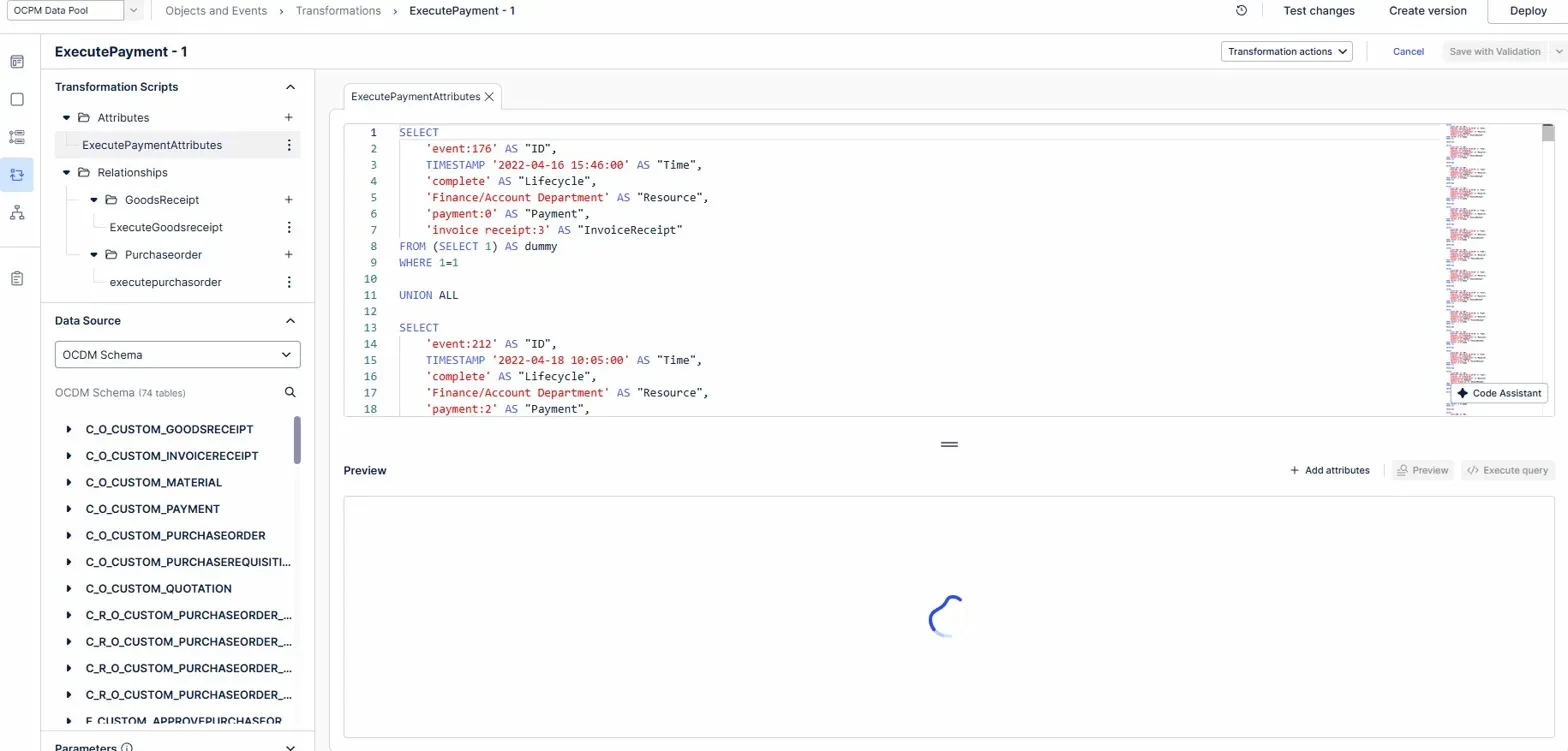
So far i tried:
- Splitting transformations into smaller parts (~1,500–2,000 lines each) → still failed
- Rewriting transformations using VALUES syntax instead of UNION ALL chains → failed
- Deleting the two 1.n relationships → worked
So when I remove the two 1:N relationships, the Data Job executes successfully. However, I would really like to include these relationships in my analysis, as they are a key argument for demonstrating the advantages of OCPM over traditional process mining — specifically the convergence behavior where multiple goods receipts lead to a single payment.
I also have 1:N relationships working fine in another event type (ApprovePurchaseRequisition → Material), so I am not sure why it fails specifically for ExecutePayment.
Thats why i have the questions if:
1. Is there a known limit on the number of related object types per event type in the OCDM?
2. Is this limitation specific to the academic license?
3. Does anyone know why a 1:N relationship works for one event type but not another?
4. Is there a recommended workaround for this error?
Any help or insights would be greatly appreciated! Happy to share screenshots or additional details.
Thanks in advance 😊
Hendrik
